Setting up a meeting with a roofer who wants to present a quote often takes three calls and two emails just to find a time. The board can now send them a link instead: they pick a time when board members are free.
My availability
In the "Calendar", "My availability" lets each board member set the hours when they accept a video meeting, day by day, and their rules: the durations offered, the break between two meetings, the minimum notice, how far ahead people can book and the daily maximum.
Before offering a time, CondoAide checks the syndicate calendar and, if the member connected one, their Google or Outlook calendar.
The board's links
"Booking links", in the calendar, creates links in the board's name, each with its own title, for example « Présentation de soumission ». A link asks either for named members, or for a number of members, for example two, among those who are free at the chosen time. Those who had the fewest appointments in the last 90 days are invited first.
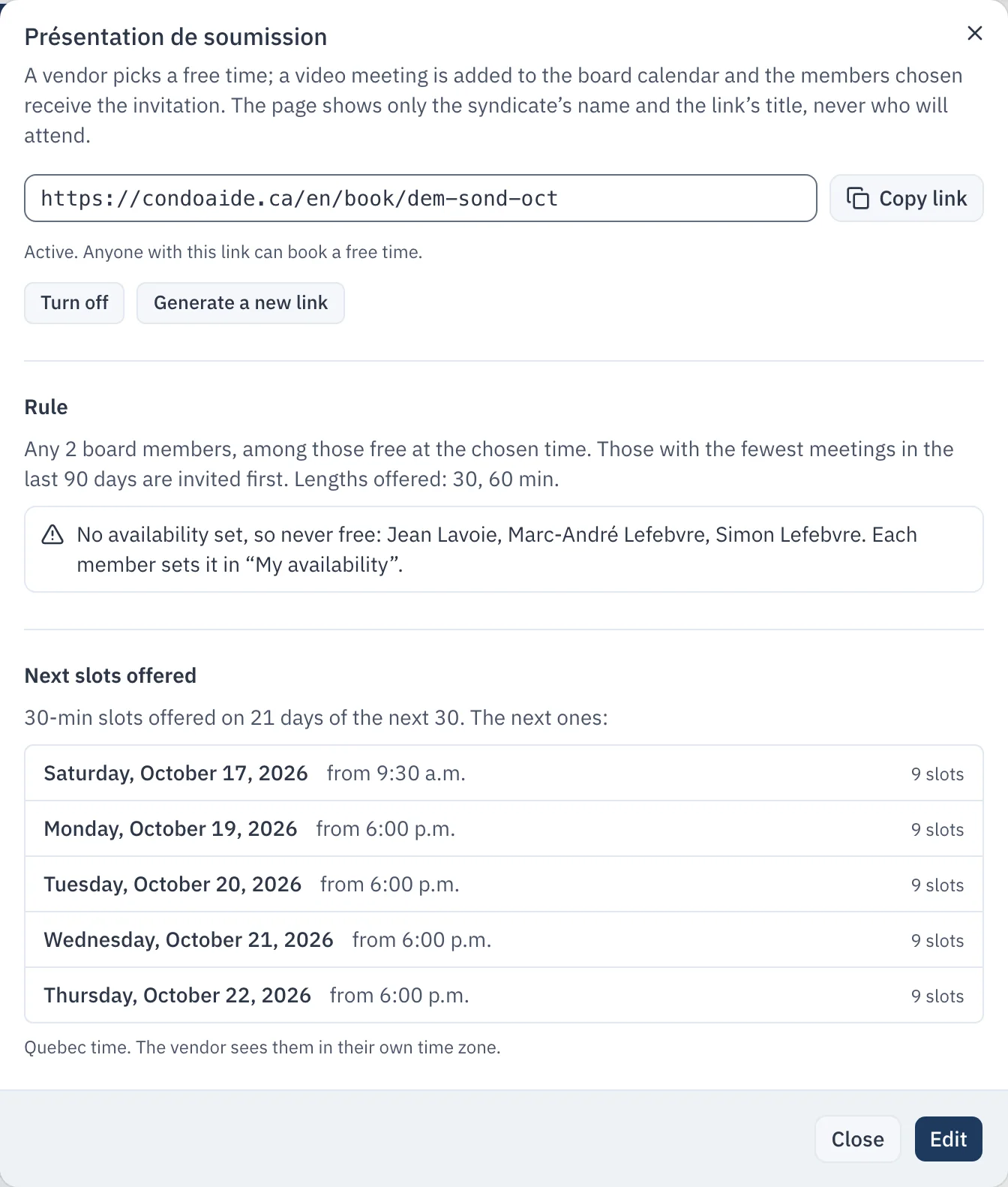
The dialog also points out what keeps a link from offering times, such as a named member who has not set their availability yet. Each member also has a personal link, in "My availability".
What the supplier sees
The booking page shows the syndicate's name, the link's title and the free times, in the time zone of the person booking. It never shows who will attend, or the board's other commitments.
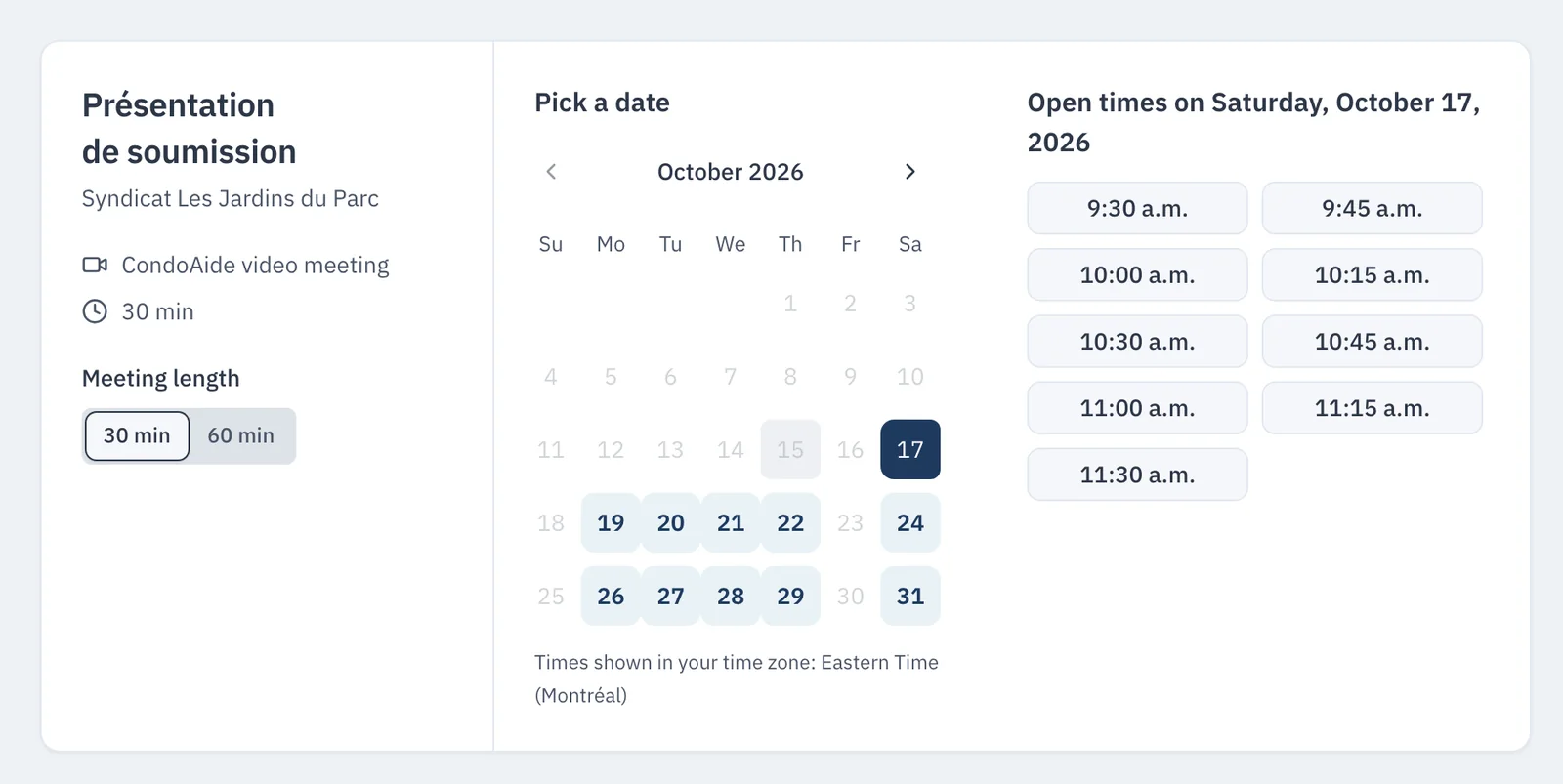
The supplier enters their name, email and the reason for the meeting, then confirms. They receive an invitation with the room link and a calendar file, and a link to move or cancel the appointment. The meeting is added to the board calendar with a CondoAide video room, and the members selected receive the invitation.
Their contact details are used only to arrange the meeting, and are destroyed 12 months after it. The page is never indexed by search engines, and a link can be turned off or replaced at any time.
Appointment booking is included in the Gestion, Pro and Gestionnaire plans, and available for $9 a month on Gratuit and Démarrage.