A bank reconciliation checks that the syndicate's books say the same thing as the bank. Once a month, you compare your statement's balance with the balance CondoAide computes from the recorded transactions, and you explain the difference if there is one.
In CondoAide it takes two steps: you import the statement, then you reconcile each fund. The examples below come from a 21-unit demo condo with a September Desjardins statement.
1. Import the month's statement
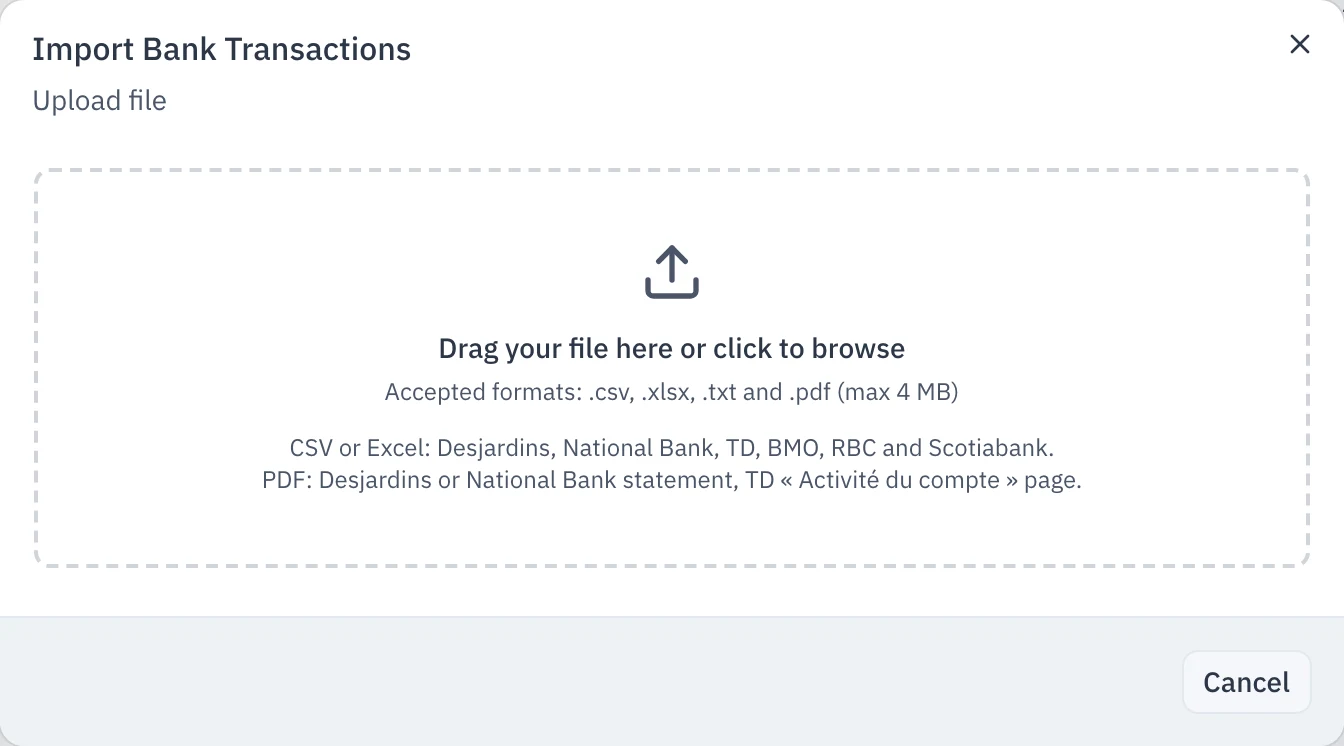
First download the month's statement from your caisse or bank website, as CSV or Excel if you can. The statement PDF works too for Desjardins and National Bank, and for TD, the « Activité du compte » (account activity) page printed to PDF.
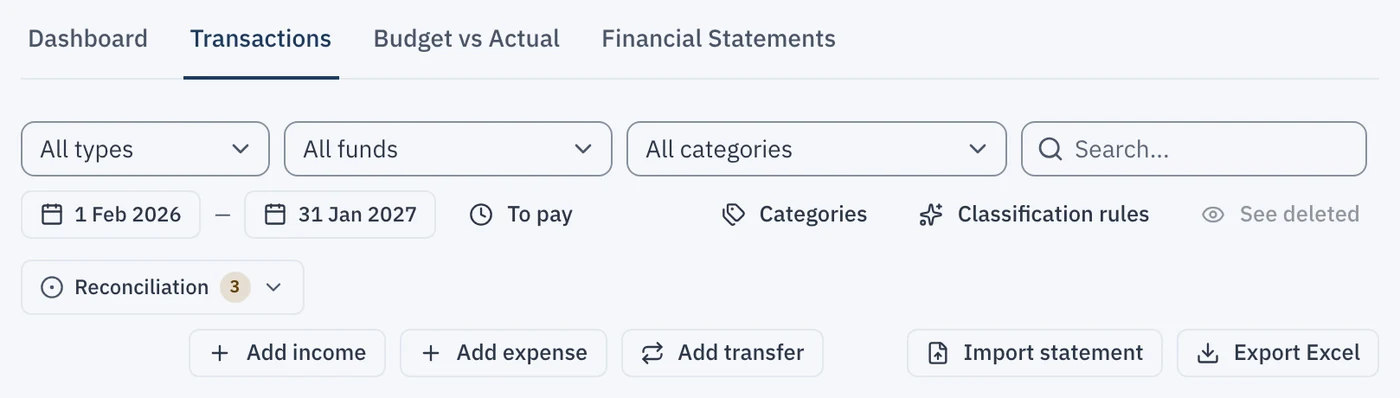
Open Financial Statements in the left-hand menu, then the Transactions tab.
Click Import statement, on the right of the toolbar.
Drop the file in the window, or click to pick it.
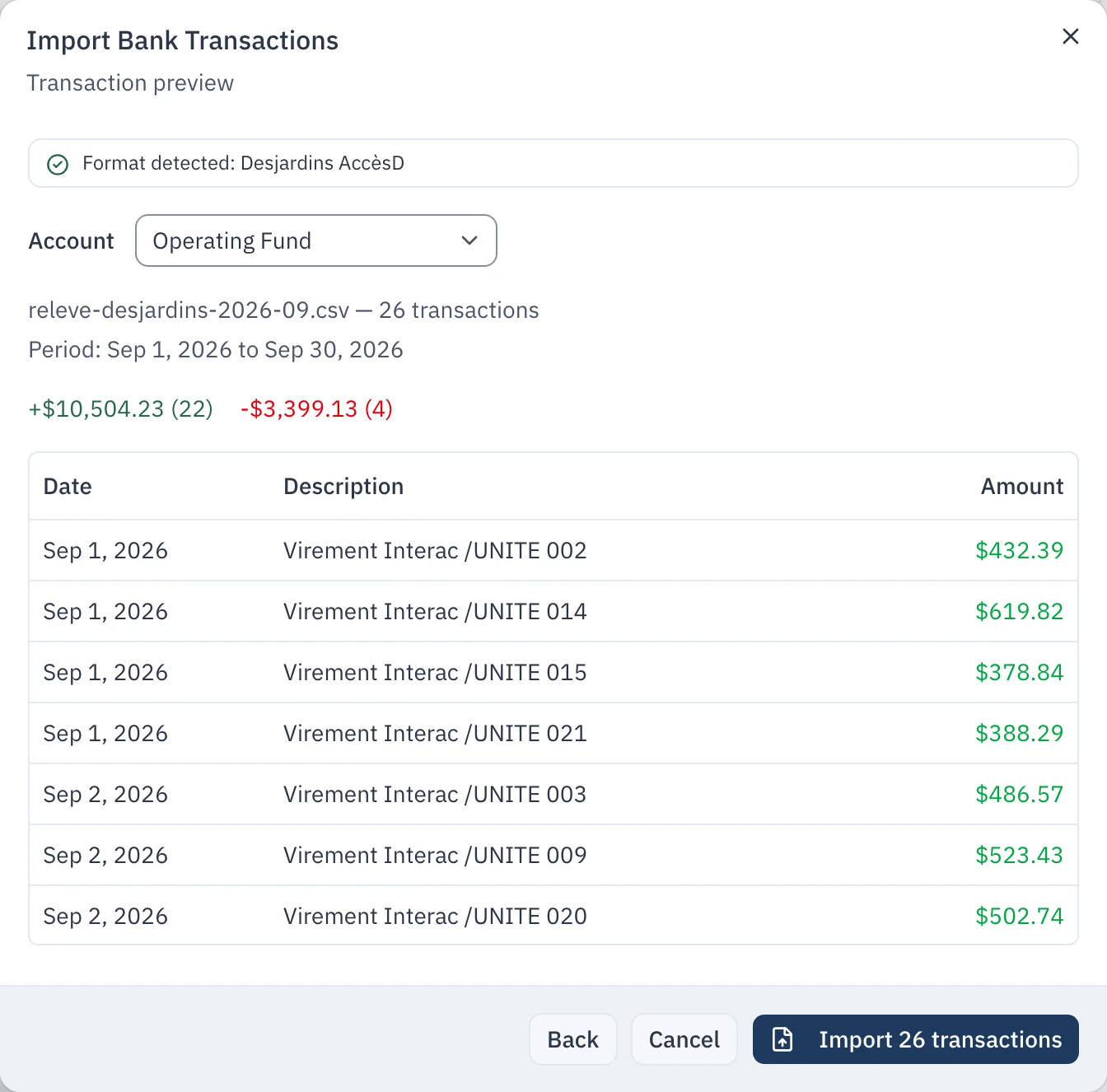
Read the preview. CondoAide names the format it recognised, the period covered and the total in and out. Check the Account field above all: it says which fund this statement is the bank account of (here, the operating fund). If your Desjardins statement holds several accounts, CondoAide asks you to match each one to its fund, and remembers your choice next time.
Click Import. The summary tells you what CondoAide did with each line.
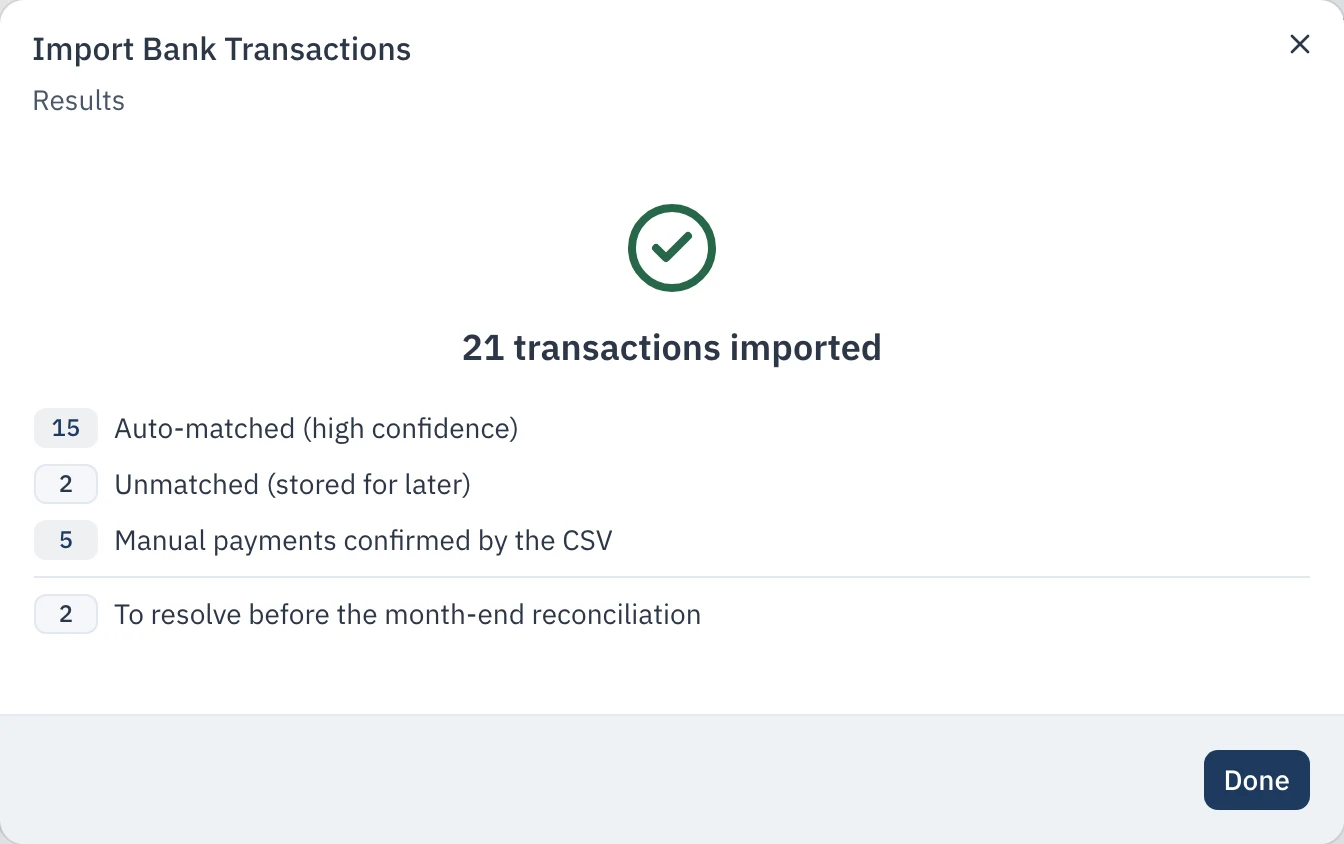
What the summary lines mean:
- Auto-matched (high confidence): the line names a unit (for example « Virement Interac /UNITE 014 ») or matches a known expectation, and the cotisation is credited to that unit.
- Manual payments confirmed by the CSV: you had already entered this payment by hand; CondoAide confirms your entry instead of doubling it.
- Unmatched (stored for later): the line is in the books, but CondoAide did not dare say which unit it belongs to.
- To resolve before the month-end reconciliation: the lines that need you, in the next step.
Every statement line becomes a transaction right away. There is nothing to « publish » afterwards, and a line already imported is never imported twice.
2. Settle the lines that need review
Back in the Transactions tab, a panel lists the payments to reconcile.
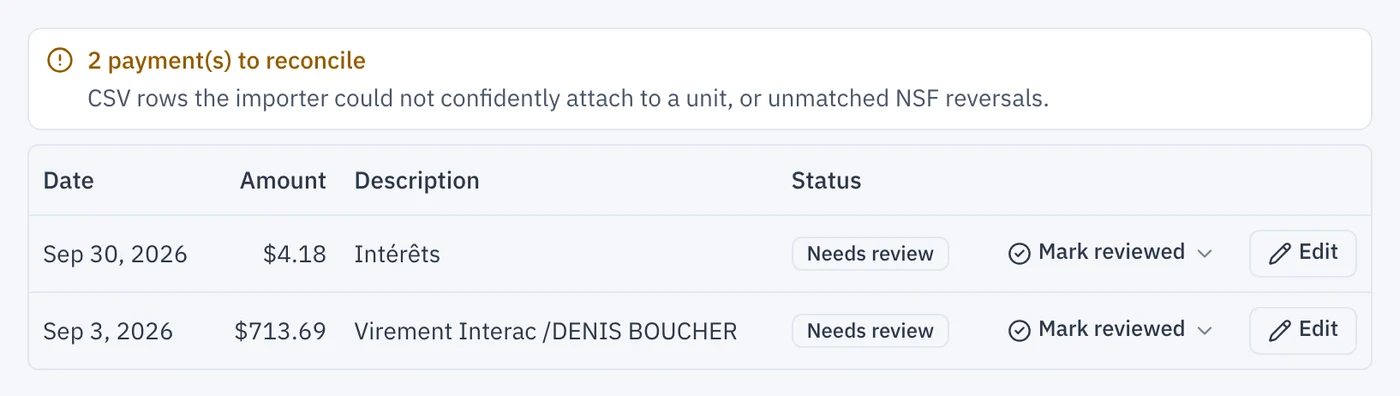
For each line:
- Mark reviewed if the line is right as it is. That is the case for the interest: it is already classified as « Bank and investment interest ». The menu next to the button also offers Always classify like this, which creates a rule for the next statements.
- Edit if the line needs correcting. Here, Denis Boucher's transfer is his cotisation: choose the Condo Fees category, then his unit.
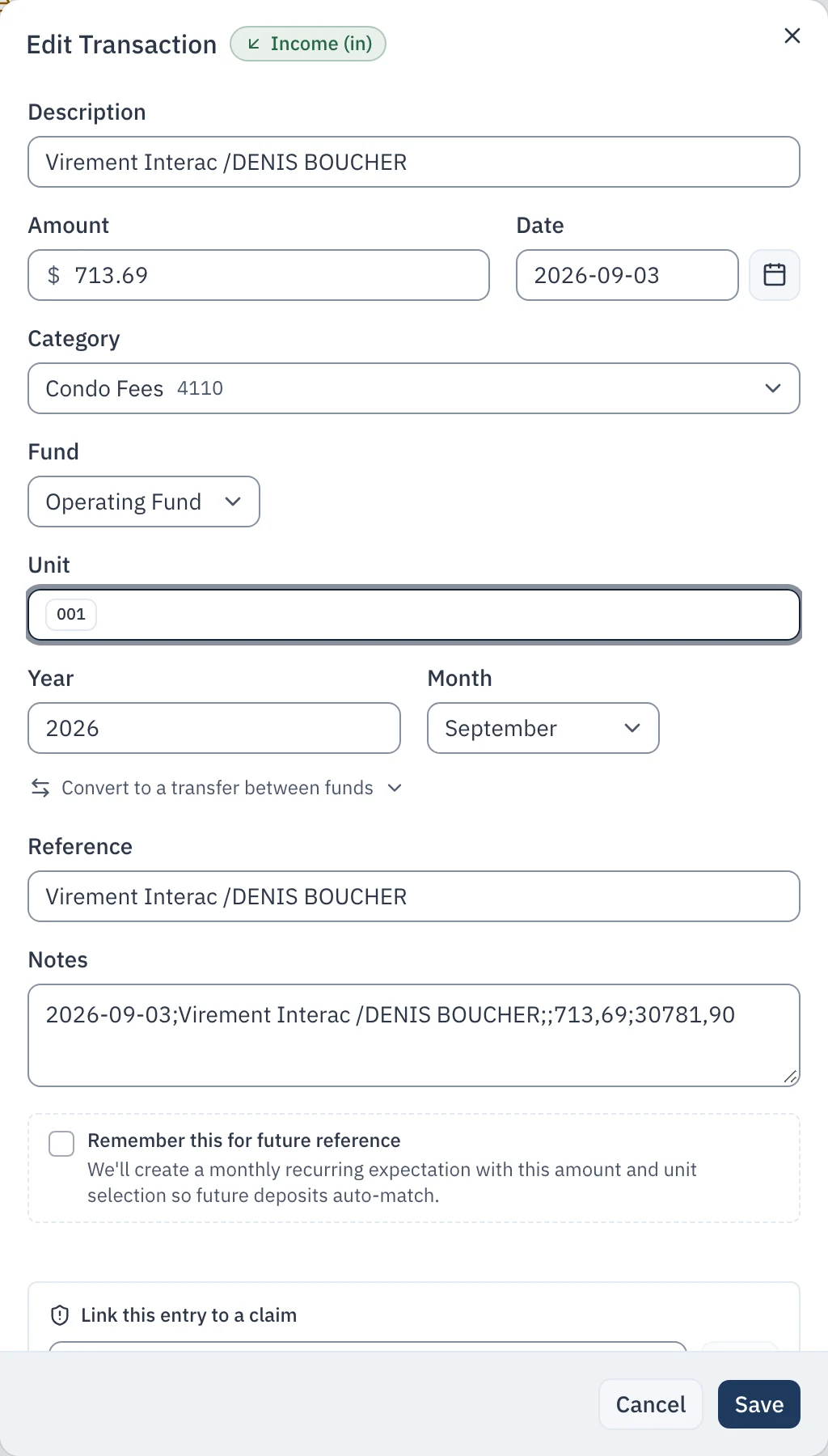
If a line matches a payment you had already entered by hand, such as a cheque deposited at the counter, delete one of the two instead of marking it reviewed: otherwise the payment would count twice.
Also take a look at the imported expenses. A bill paid through AccèsD often lands in « Miscellaneous »: change its category right in the transactions table.
3. Reconcile the fund at month end
Click Reconciliation, on the left of the toolbar, then Reconcile next to the fund. The Reconcile link in the « Last import » banner leads to the same place.
In the fund's card, type the Balance from your bank statement, as printed on the statement's last line. CondoAide shows the Balance in CondoAide next to it, computed from the transactions recorded up to the period date, and the difference between the two, the Delta.
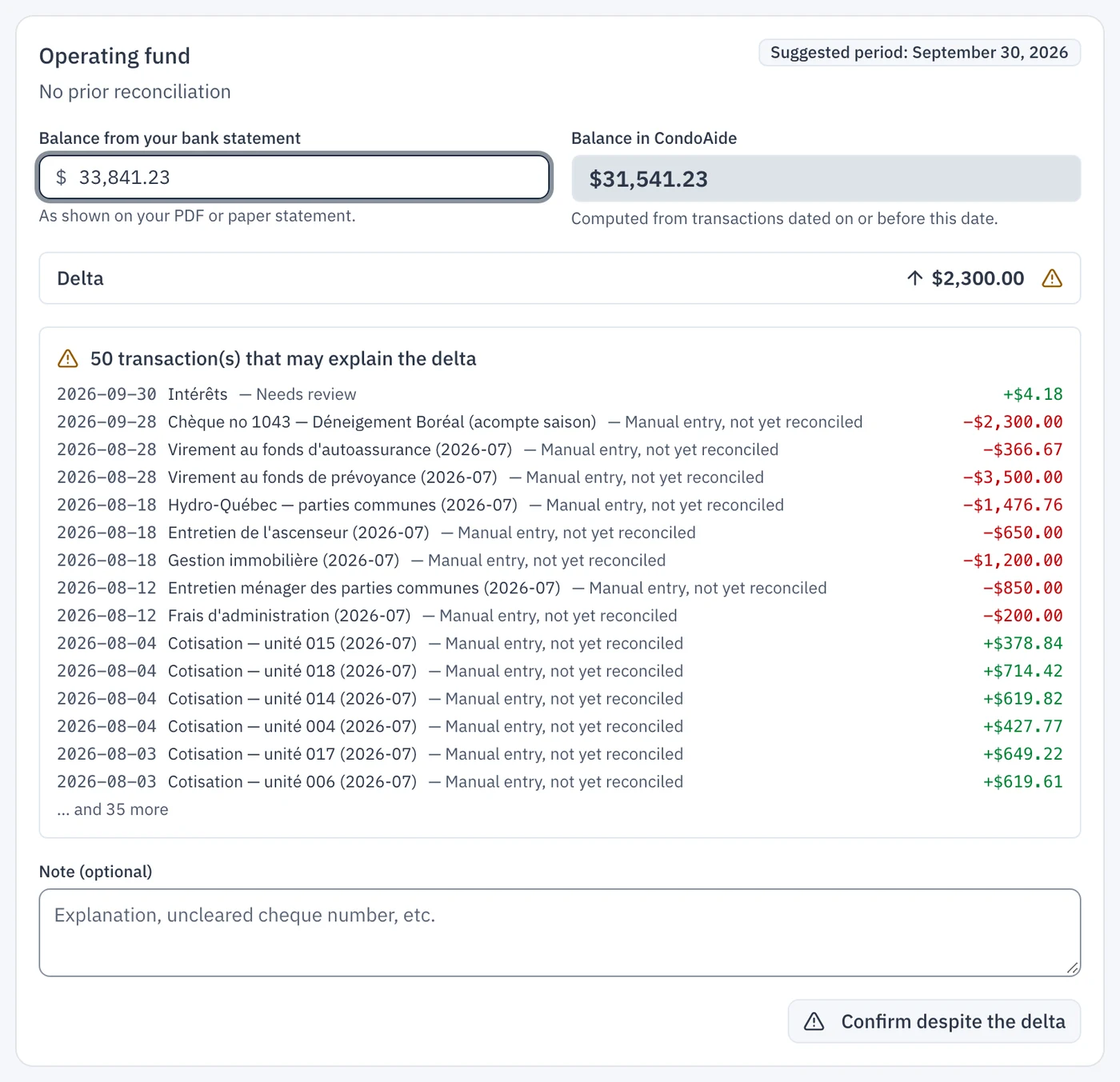
If the delta is zero, click Confirm reconciliation: this fund is done.
If there is a delta, read the list below it (see next), then write the explanation in the Note, for example « Cheque no. 1043 (Déneigement Boréal) issued on the 28th, not cashed yet », and click Confirm despite the delta. Next month the cheque will show on the statement and the delta will go away.
Reading the list under the delta
The list shows the transactions that may explain the delta, with the reason:
- Manual entry, not yet reconciled: an entry typed by hand that no statement line has confirmed. It is often an outstanding cheque, issued by the syndicate but not cashed by the supplier yet. In the example, cheque no. 1043 for $2,300.00, handed over on September 28, explains the delta to the cent: the bank had not paid it by the 30th.
- Needs review: an imported line still waiting for your review (step 2).
- CSV deposit with no unit assigned: an imported deposit tied to no unit.
- Balance correction: an adjustment of the fund, which no bank line will ever clear.
- Dated after the period: a transaction dated after the month end, which does not count in this balance; it comes last, in case it was misdated.
On a first reconciliation, the list holds every manual entry of the fiscal year, since nothing has been reconciled yet. It gets shorter month after month.
If nothing explains the delta, do not confirm. Look for a missing statement line (a statement from another month?) or a duplicate entry, fix it in the Transactions tab, then come back to the reconciliation.
4. Follow the reconciliation status
The Reconciliation button in the Transactions tab shows where each fund stands: reconciled through which date, stale, or not reconciled yet. The badge counts the funds waiting for a reconciliation.
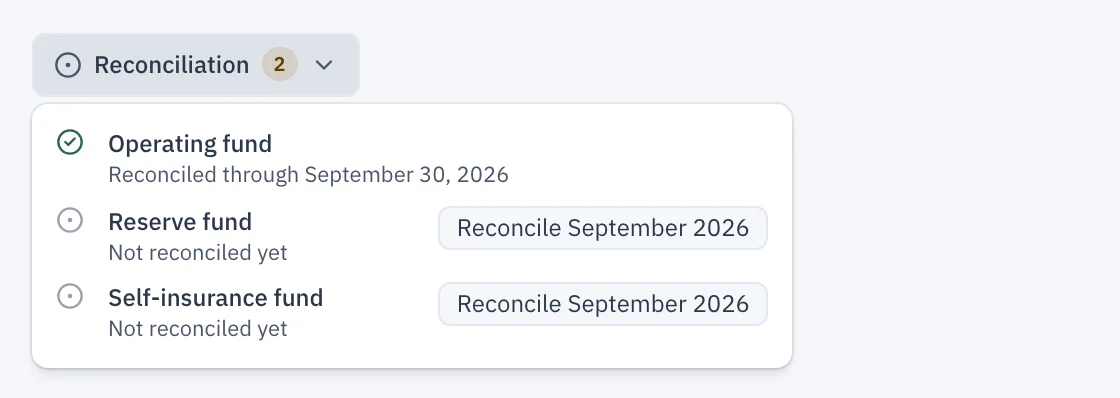
Each fund has its own bank account and is reconciled against that account's statement. If the reserve fund and the self-insurance fund each have their own account, import and reconcile their statements the same way, picking the right fund in the preview's Account field.
Confirming a reconciliation locks nothing: you can still correct a transaction in a month already reconciled. But the correction cancels that month's reconciliation and those of the following months for this fund, since their balances changed. The Reconciliation button then offers the corrected month again: redo it, then the following ones. The same goes for importing a statement that touches a month already reconciled.