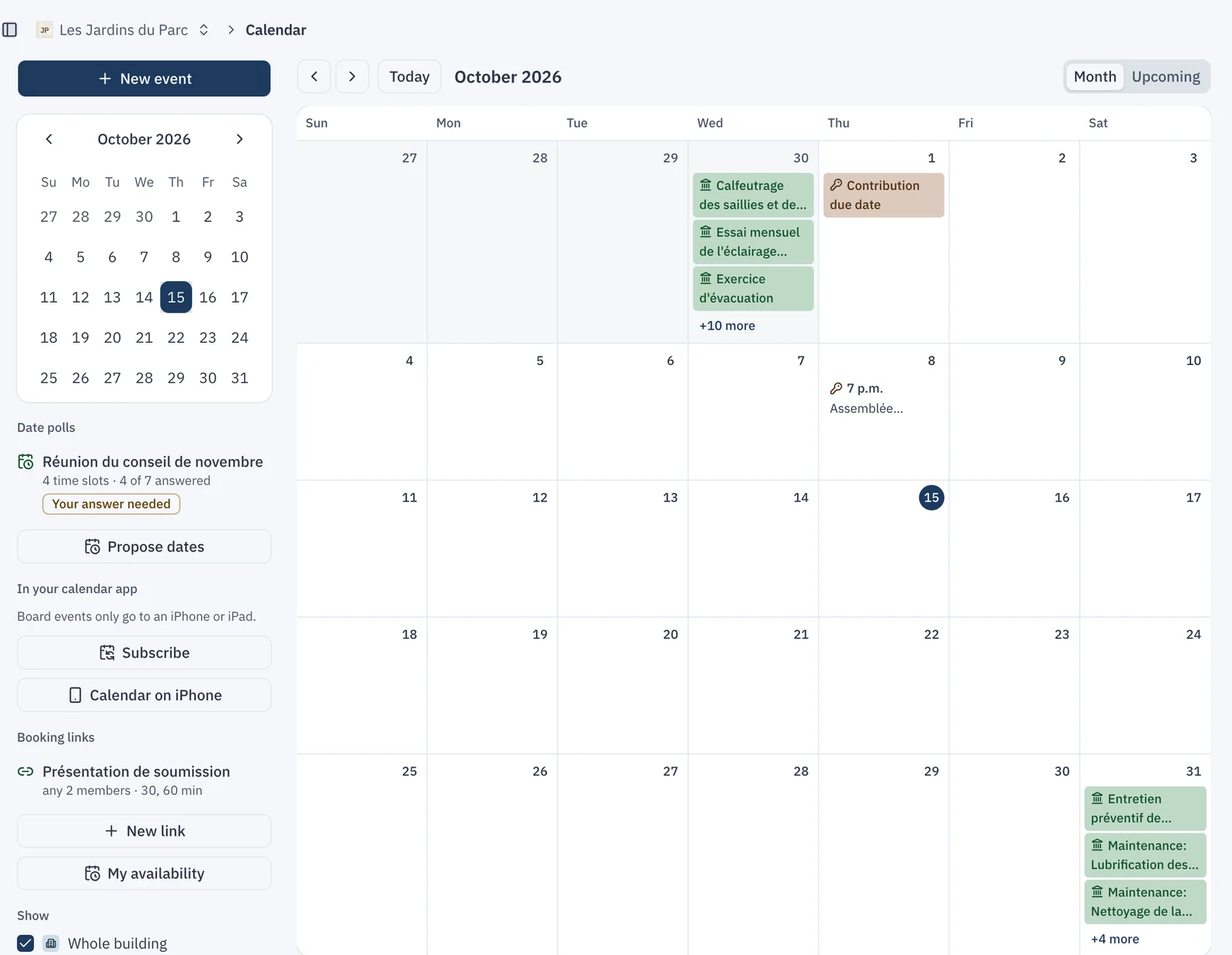
A syndicate's dates are scattered: the assembly in an email, the insurance renewal in a PDF, the chimney sweep in the president's head. Every syndicate now has a "Calendar" page, in the "Communications" menu.
What shows up on its own
The calendar fills itself from what the syndicate already has in CondoAide:
- co-owner assemblies and board meetings;
- the dates the law sets around an assembly: the last day to have a question added to the agenda, the window for sending the annual meeting notice, the deadline to send the minutes;
- work orders, planned maintenance, and contribution, insurance and document due dates.
Each event leads back to its source, such as the assembly, the work order or the insurance policy. The "Month" view shows the whole month, and "Upcoming" lists the next few days.
Who sees what
Each event has a level: "Whole building", "Co-owners", "Board" or "Only me". A tenant sees building events, a co-owner also sees co-owner events, and the board sees everything. An "Only me" event is visible to its author alone; other directors see "Busy" at that time, with no title or detail. An event visible to the whole building cannot name a person or contain a unit number: the calendar refuses it.
Planning a board meeting
A "New event" at the "Board" level becomes a meeting:
- a CondoAide video room, whose link is added to the event; nobody gets in until a board member admits them from the waiting room;
- guests, such as the contractor or the property manager, who each receive their own invitation with a calendar file, from the syndicate's address when it is set up;
- a link to a supplier, a work order or a request, so the meeting also shows on that record.
Changing the time or the room sends guests an update, and removing a guest sends them a cancellation.
Finding the date with a poll
Finding a free evening for seven directors used to take a dozen emails. "Propose dates" sends the board 3 to 8 time slots. Each member answers "Yes", "If needed" or "No", and the answers appear live for the whole board.
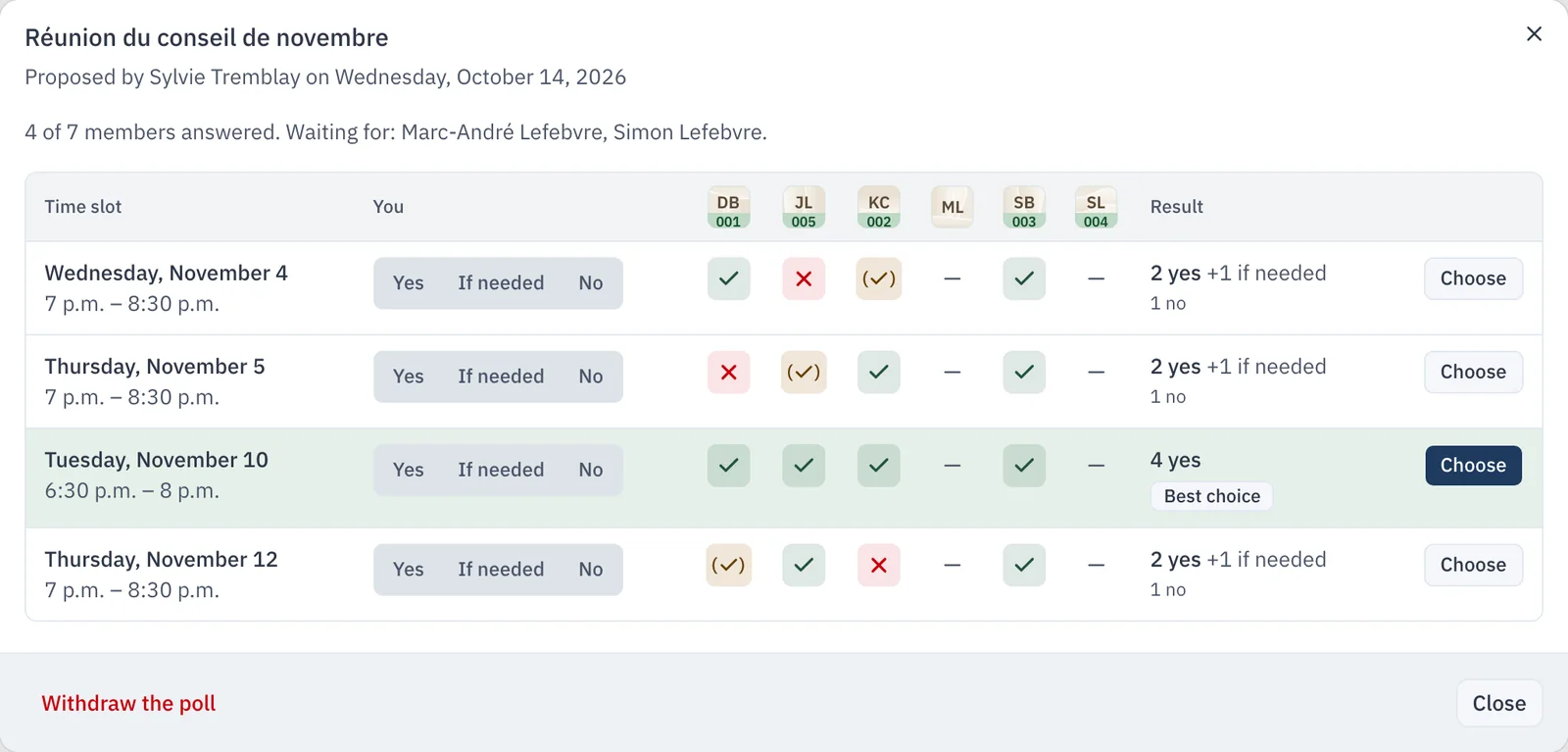
The best slot is highlighted. "Choose" sets the date: the meeting moves to that date, or an event is added to the board calendar, and everyone is notified. Members who have not answered get a single email reminder.
In your own calendar
- "Subscribe" adds building and co-owner events to Apple Calendar, Google Calendar or Outlook. The link is personal and can be reset at any time.
- "Calendar on iPhone" also adds board events, on an iPhone or iPad only. Each device gets its own access, which stops working as soon as it is removed or the person leaves the board.
- "Connected calendars", in the profile, lets a board member connect a Google or Microsoft calendar. CondoAide reads only the busy times, so that a poll or a booking never offers a time when that member is already taken. Other members see "Busy", with no detail.
The calendar is available to every syndicate, whatever the plan.
What the law says about notice, quorum and minutes for a board meeting: Condo Board Meetings in Quebec: Notice, Quorum, Minutes.