An email sent to the whole building cannot be taken back. The board now sees, before sending, the exact email each person will get.
Write, then preview
In the Inbox, the send button is now called "Preview and send". The "Unit number" and "Recipient name" buttons insert fields that show as badges while you write, and that CondoAide fills in for each person.
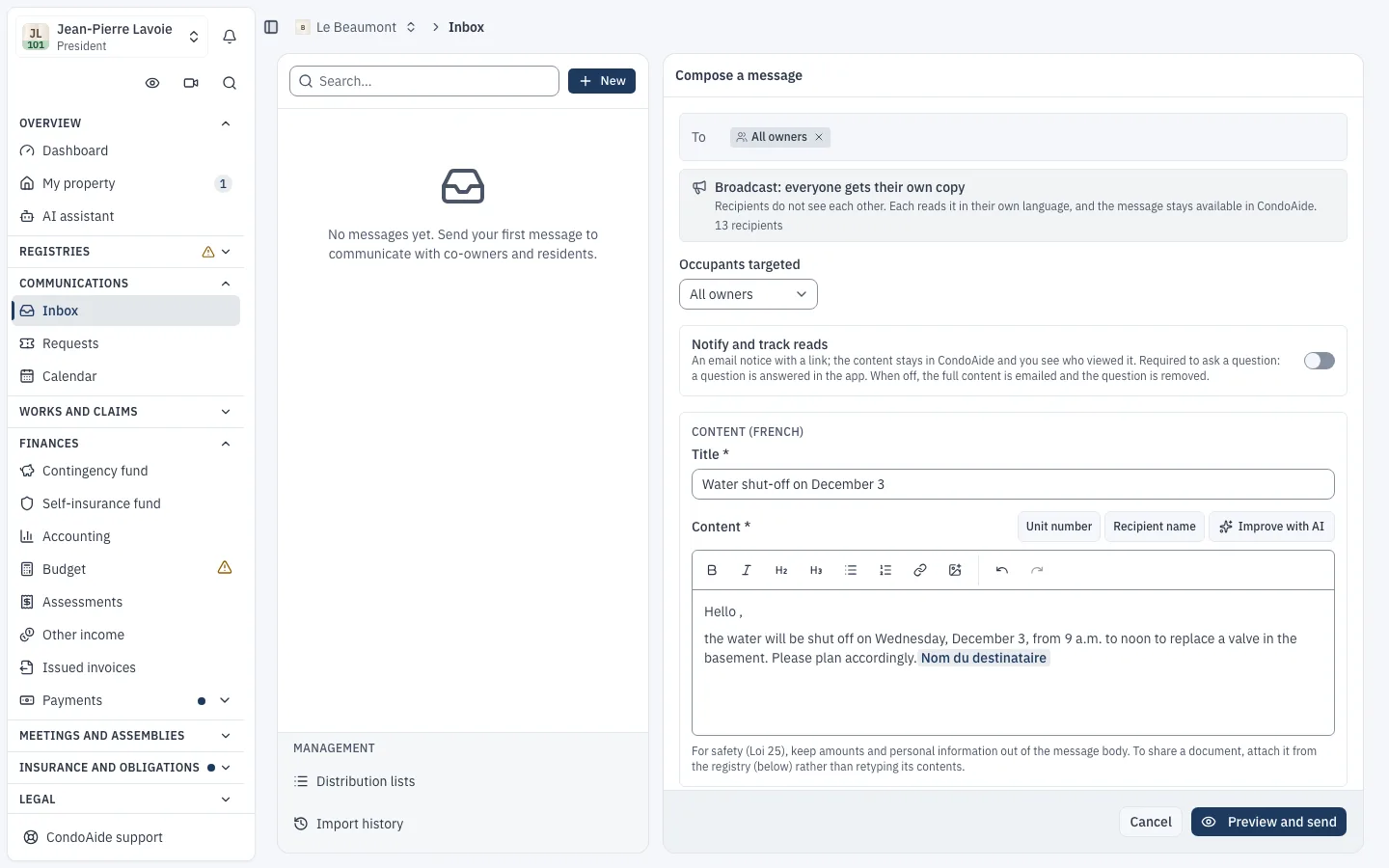
The email, as each person will get it
"Preview before sending" shows how many people will receive it, then the full email: the sender, the address, the subject, the text with the person's name, the signature and the footer. You move from one recipient to the next with the list or the arrows, and "See the list" shows everyone who will receive it.
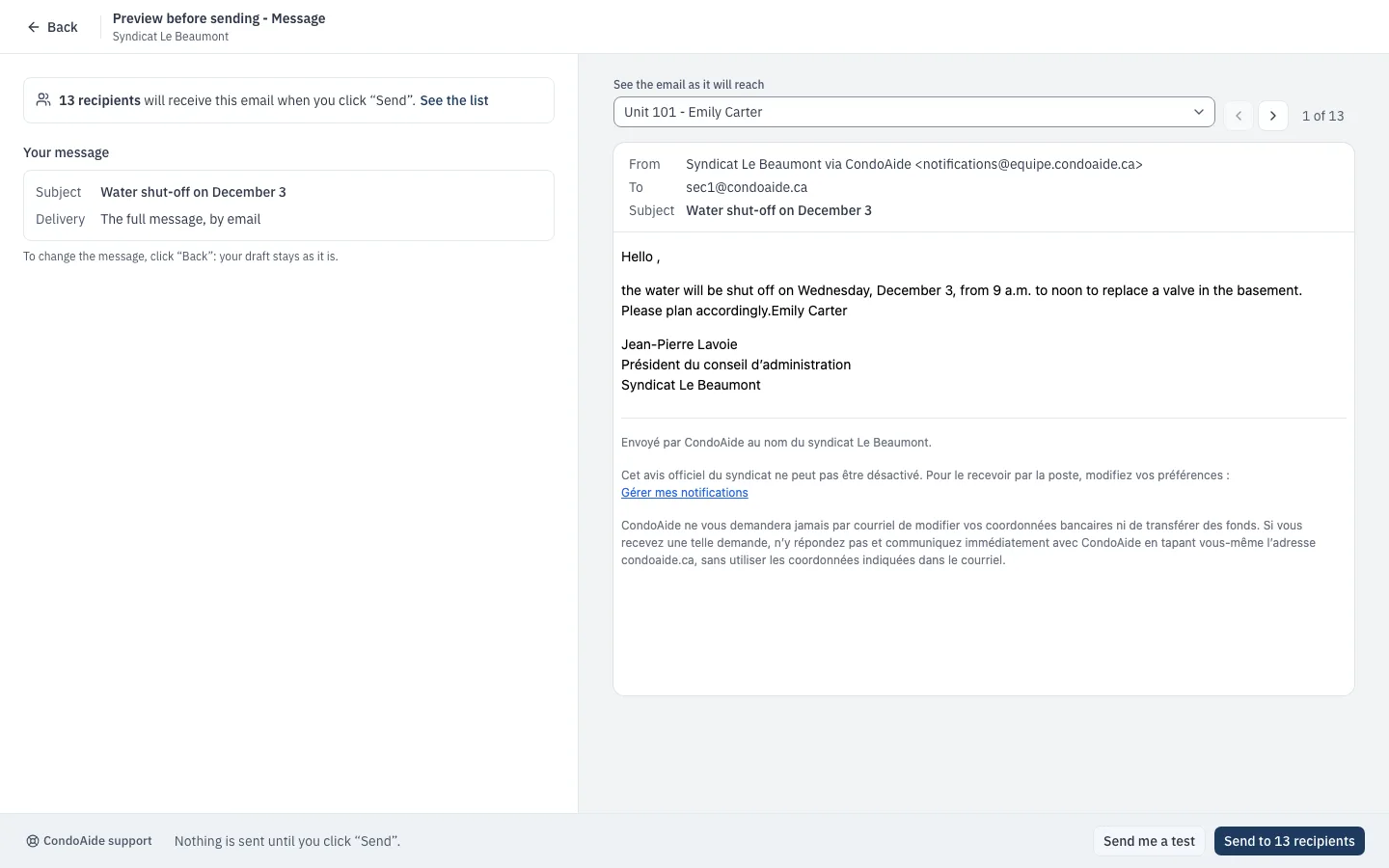
"Send me a test" sends a copy to your own address. "Back" returns to the draft, untouched. Nothing is sent until you click "Send to 13 recipients", and CondoAide sends exactly what you previewed.
Everywhere the syndicate writes
The same preview opens before:
- an Inbox broadcast, as a full email or in "Notify and track reads" mode;
- a new email or a reply from the syndicate's email address;
- late-payment notices and payment reminders, with the board's note;
- survey reminders;
- a signature request for minutes or a certificate;
- the first notice of an obligation you turn on, and the decision on a proof or an answer;
- a calendar invitation sent to guests;
- a registry answer, a written answer about personal information, or a request recorded on a co-owner's behalf.
Buttons that open the preview carry a small eye icon. Unsure while reading it over? "CondoAide support", at the bottom of the preview, opens a support request without leaving the page.