CondoAide's menu had grown one page at a time, into a long list where you had to know in advance where to look. It is now organized around what the board does, and what needs its attention is easier to find.
A menu grouped by task
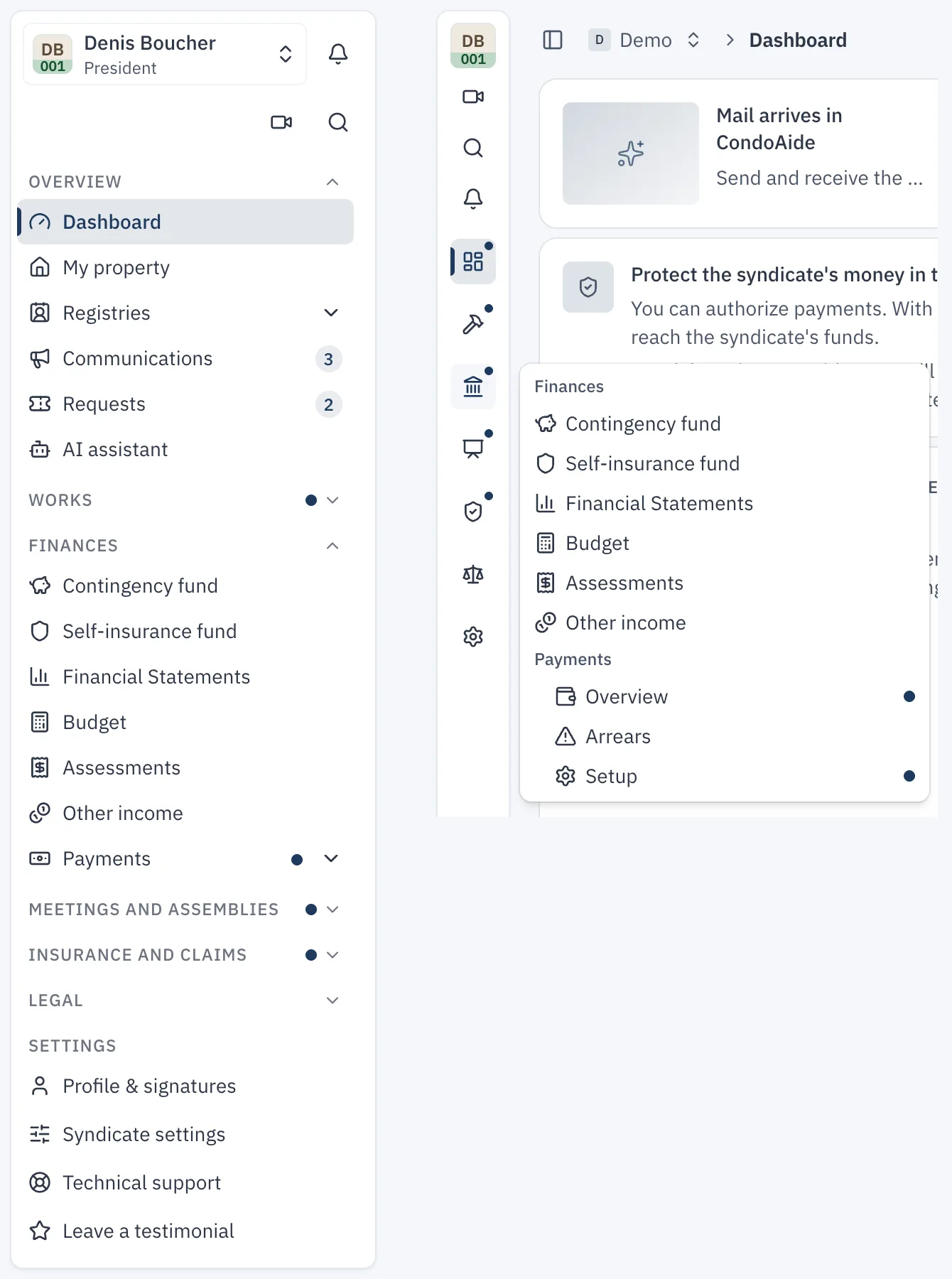
The sidebar is split into groups: "Overview", "Works", "Finances", "Meetings and assemblies", "Insurance and claims", "Legal" and "Settings". "Overview" brings together the dashboard, the registries, communications and requests. Each group opens and closes, and CondoAide remembers your choices for each syndicate.
Everyone sees the menu that fits their role. A co-owner sees their property, documents, communications, their requests and the assemblies; a tenant sees the essentials.
Badges for what is waiting
Badges point to what needs action: unread communications, requests waiting on the board, overdue work orders, payments to approve, obligations to review. A dot flags a budget to create or a notice to send. A collapsed group shows a dot when something inside it is waiting.
A menu that collapses
The "Show or hide sidebar" button, or ⌘B (Ctrl+B on Windows), shrinks the menu to an icon rail. Each icon opens its group as a drop-down, and the page gets the full width of the screen. The menu stays collapsed from one visit to the next in the same browser.
One page for units
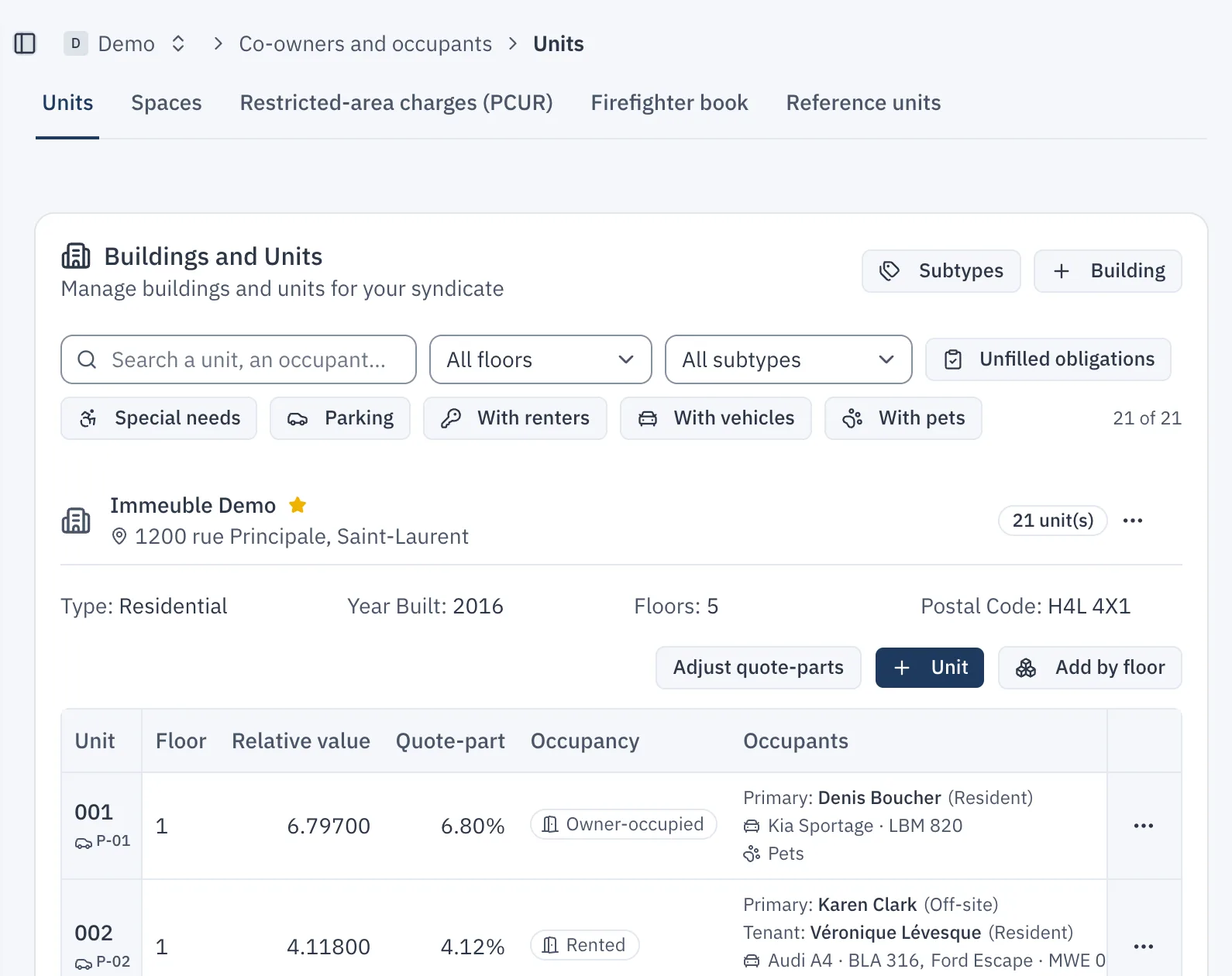
"Units", "Spaces", "Restricted-area charges (PCUR)", "Firefighter book" and "Reference units" used to be five separate pages. They are now the tabs of a single page, opened from "Units" in the menu. Everyone sees the tabs their role gives them access to, and the old links lead to the right tab.
Search everywhere with ⌘K
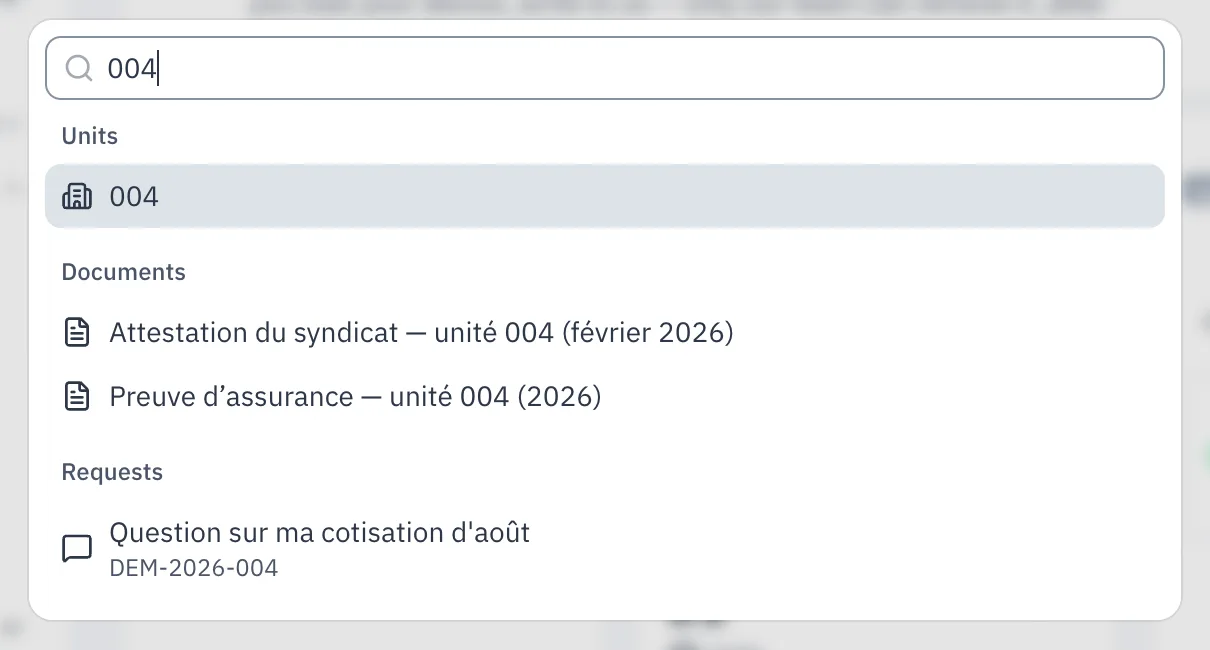
⌘K (Ctrl+K on Windows), or the "Search" button, opens a search that finds a page or a tab, but also a unit, a member, a renter, a vehicle, a pet, a document, a work order, a vendor or a request. Results follow each person's access: you only find what you could already open.
Switch syndicates without losing your place
A director or property manager who looks after several syndicates can move from one to another without going back to the dashboard. On one syndicate's budget, they land on the other syndicate's budget. If that page does not exist for them in the other syndicate, they land on the dashboard.