A syndicate often has more than one account: the operating account, the contingency fund's account, sometimes an investment. The treasurer reconciles each one with its statement, every month. CondoAide now does it account by account.
A "Reconciliation" tab in Finances
Reconciliation is now a tab of Finances, next to "Transactions", with two views:
- "By fund", available on every plan;
- "By bank account", included in Advanced Finances (Management and Pro plans).
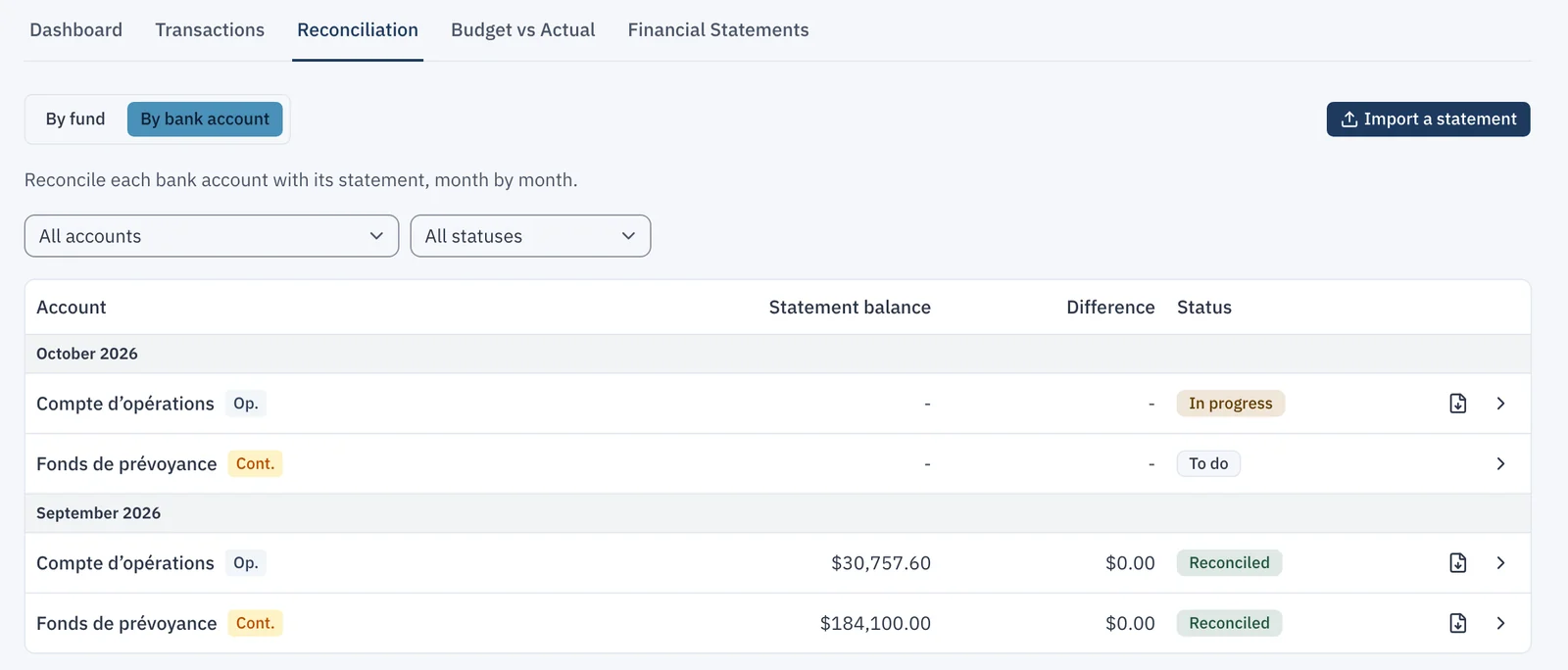
The account view lists each bank account, month by month, with its status: "To do", "In progress", "Reconciled", "Difference" or "To redo".
Import the statement
"Import a statement" reads the monthly PDF from Desjardins, National Bank or TD, including TD's business chequing monthly statement. A single statement covering several accounts fills each of them. If the statement names an account that does not exist in CondoAide yet, the import offers to create it. The PDF is filed in the syndicate's documents, under the "Bank statements" category, reserved for the board.
Reconcile the month
An account's screen shows reconciliation figures A to F: statement balance, outstanding payments and deposits, adjusted bank balance, book balance and difference. Statement lines are ticked beside the entries, and the statement opens in a panel alongside.
- A statement line missing from the books is added in one click, with "Add and reconcile".
- A difference that needs correcting goes through "Create an adjustment", with its reason.
- A month with interest only is settled in one step: "Record the interest and confirm".
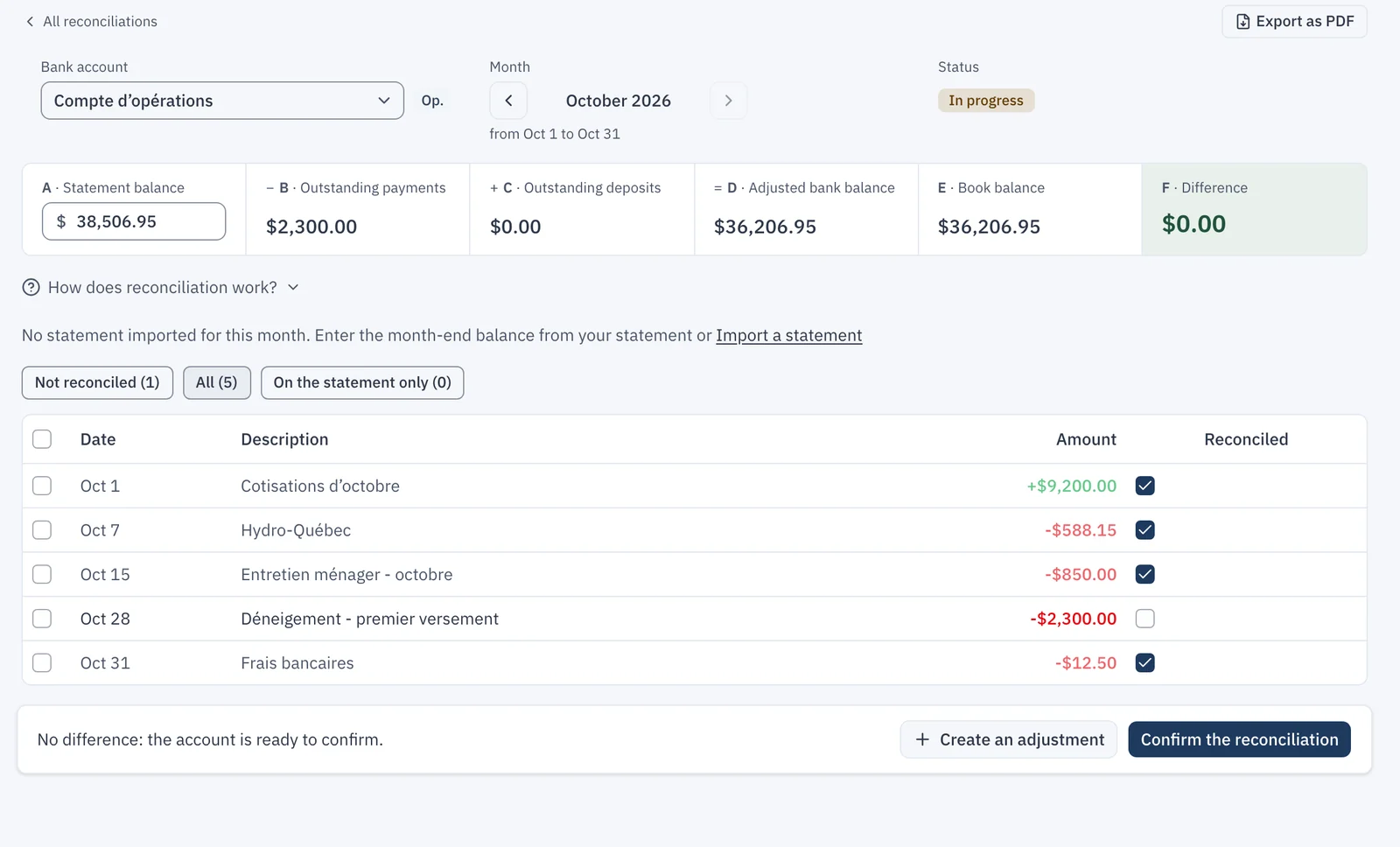
"Confirm the reconciliation" locks the month, and "Export as PDF" produces the report for the auditor, the accountant or the meeting.
Reopen a month
A mistake found later is fixed with "Reopen this month". If later months were already confirmed, the window names them: they move to "To redo", since their opening balance changes.
Classify faster
In "Transactions", "Classification rules" creates and edits the rules that classify imported entries, with a preview of what they will match. "Suggest rules" derives them from the fiscal year's history: CondoAide spots labels already classified the same way, and the board ticks the ones to create.
Each entry also opens in a panel beside the ledger: supporting document, reconciliation, origin, and the history of every change, field by field. It is edited in that panel, with no window stacked on top.
The guide Import a statement and reconcile your bank account explains importing a statement and reconciling by fund.