For every sale, the notary sends the syndicate a questionnaire: charges, arrears, special assessment, contingency fund, lawsuits, insurance. The board used to answer it by hand, often copying the statement of common charges. CondoAide now prepares those answers, and the board only has to check them.
Upload the notary's form
In the sale file, once the statement of common charges is issued (art. 1069 C.C.Q.), "Fill in the notary questionnaire" opens the questionnaire page. Upload the PDF the notary sent.
Every answer, with its source
CondoAide prepares the answers from the issued statement of common charges, as of its date, and from the syndicate's data. Each answer says where it comes from: the statement, the syndicate settings, the contingency fund, the litigation log. Answers to read again carry a "To check" badge, and each one can be corrected with "Edit".
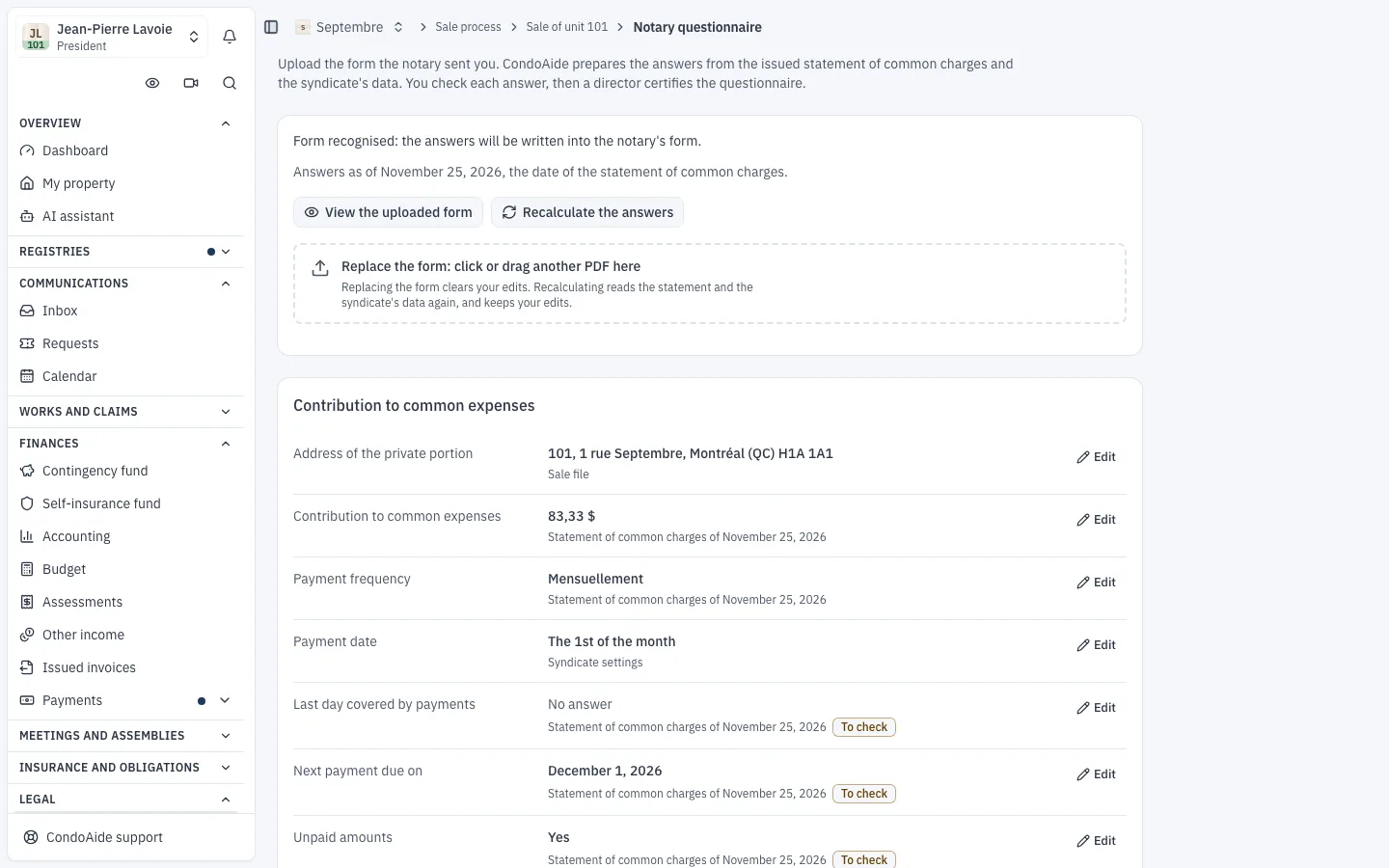
"Recalculate the answers" reads the statement and the syndicate's data again without losing your corrections. "Preview the filled form" shows the notary's PDF, filled in, before you certify.
Certify, then send
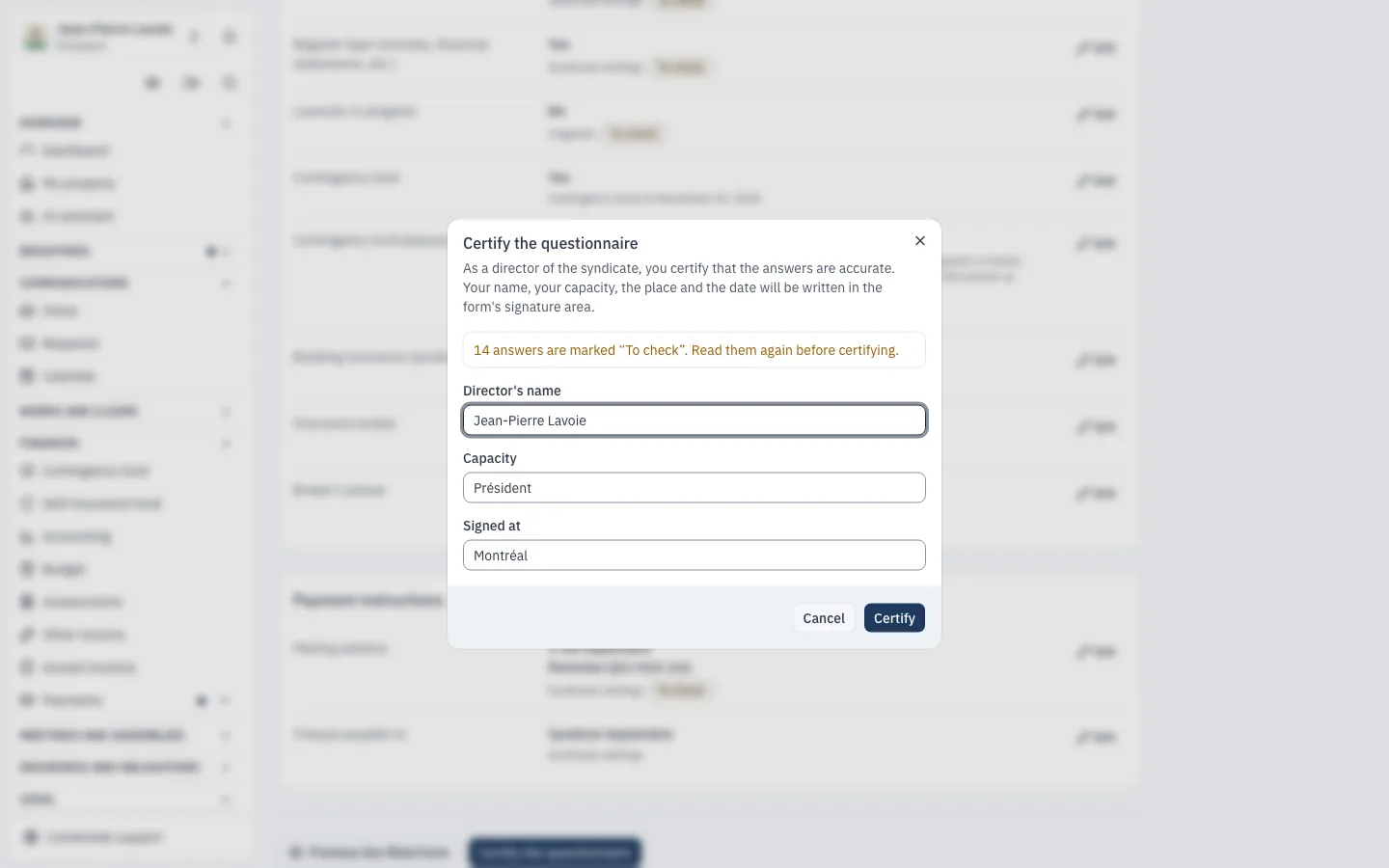
A director certifies the questionnaire. Their name, capacity and place are prefilled, and are written with the date in the form's signature area. The dialog reminds you how many answers are still marked "To check".
Two copies are filed in the syndicate's documents: the certified questionnaire, and a copy to sign by hand. "Send documents", in the sale file, sends them to the notary. An answer to fix afterwards? "Change the answers" opens a new version, to certify again.
Recognised forms and price
When CondoAide recognises the notary's form, it writes the answers into it. Otherwise the page shows "Form template not recognised yet": the answers are prepared the same way, and you copy them into the form.
The questionnaire is included in the Pro and Gestionnaire plans. On other plans it costs $29 plus taxes per certified questionnaire, on the syndicate's next invoice; the price is shown before the upload.