Until now a vendor invoice served in three places that did not talk to each other: the work order, the accounting and the registry. Amounts were copied by hand, and the actual cost of the work did not always match what had been paid. The invoice is now read once, then filed, booked and attached from the same document.
CondoAide reads the invoice
On a work order, a document of type "Invoice" offers the "Read invoice" icon to whoever manages the works. CondoAide pulls out the date, the invoice number, the vendor and its GST and QST numbers, the subtotal, the GST, the QST and the total. Each value shows the line of the invoice it came from, and each can be corrected before it is applied. Nothing is saved until you choose an action.
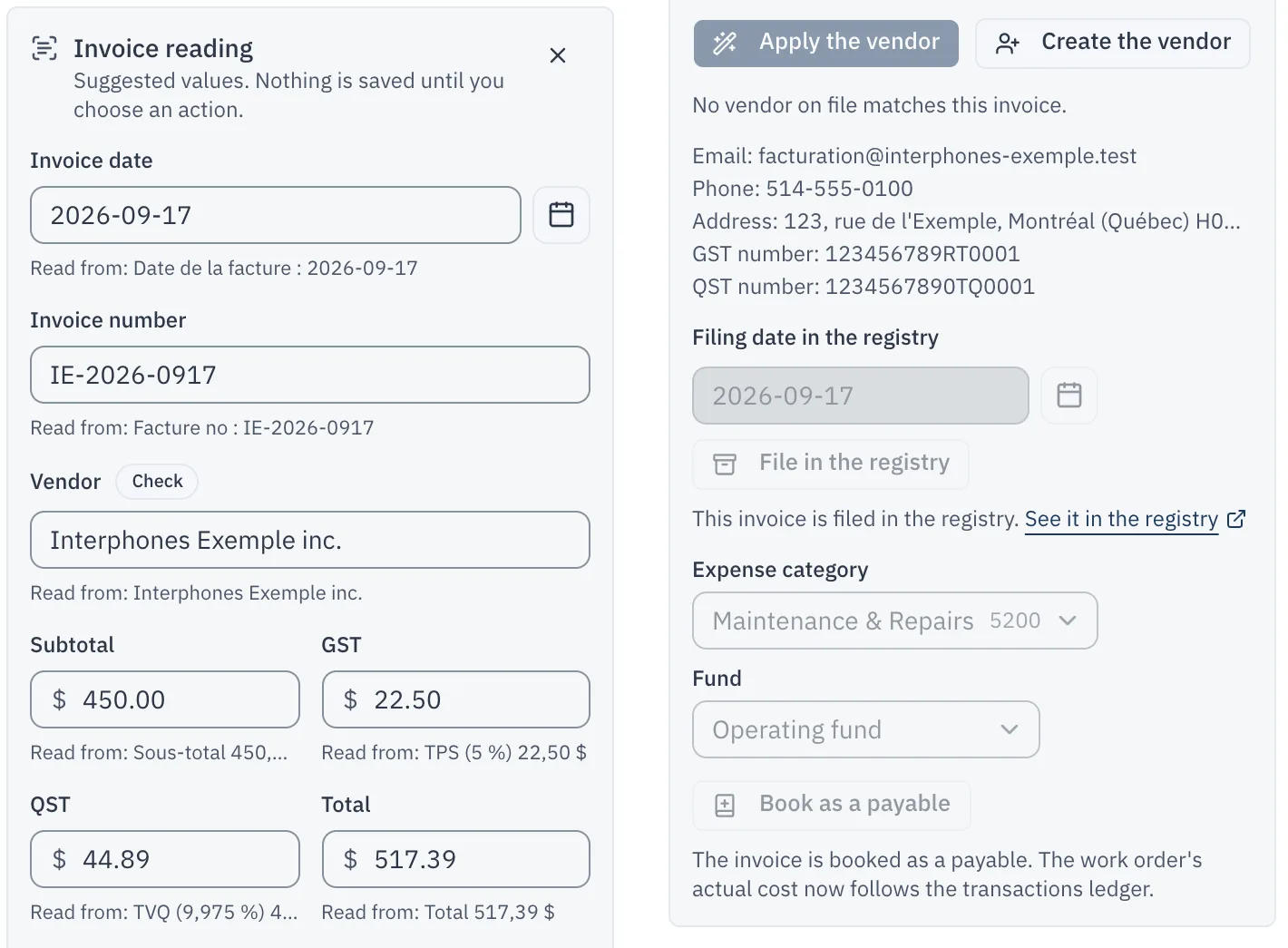
When a value is uncertain, it stays empty rather than being guessed. The card also says so when the amounts do not add up, when the invoice carries HST, when the document is a credit note, or when nothing shows it is an invoice rather than a quote.
The reading runs on a server operated by CondoAide in Quebec. The invoice is not sent to any outside text-recognition or artificial-intelligence service.
From the card, you can "Apply the vendor" to the work order, or "Create the vendor" if it is not in your vendor list yet, with its address and tax numbers. You can "File in the registry", then "Book as a payable": the expense is created for the total, on the invoice date, in the fund you choose, and the invoice is attached to it as its supporting document.
The actual cost follows the expenses
A work order's "Actual Cost" used to be an amount typed by hand. As soon as an expense is linked to the work order, it is now computed from the linked expenses, and it shows what is paid and what is still due.

An "Invoices" category in the registry
The registry now has an "Invoices" category. An invoice is filed under its own date, even an old one: dates now go back sixty years, so a 2017 invoice files without a detour.
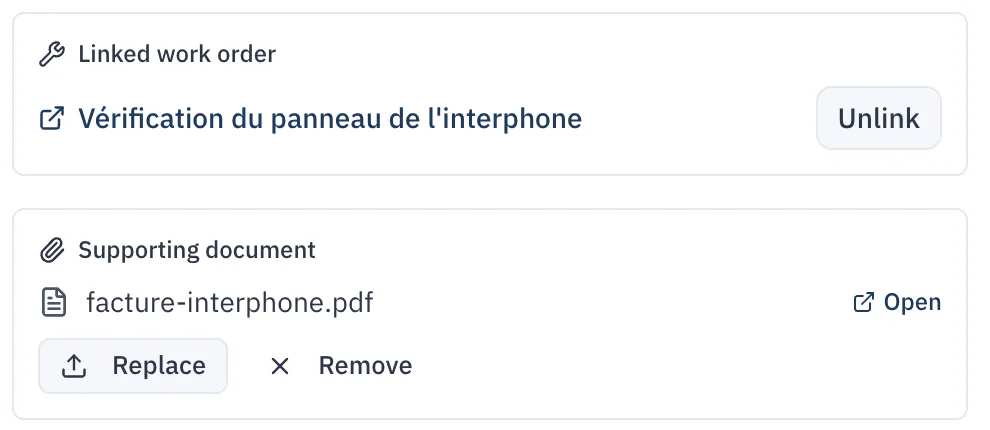
In Finances, an expense now has a "Supporting document" section. The "Attach an invoice" button uploads the invoice, files it under "Invoices", restricted to the board, and attaches it to the expense. It can then be replaced or removed. An invoice removed from an expense stays in the registry, under "Invoices". Every attachment and removal is recorded in the "Register journal".
Invoices in the registry are for the board
Documents filed under "Invoices" are visible to the board of directors only. The database itself enforces that cap: a document filed under "Invoices" can no longer be shared with co-owners or tenants, even by mistake.
If your syndicate had shared invoices more widely, co-owners and tenants no longer see them in the registry since this update. Nothing told them: let them know if needed. If a co-owner asks to see an invoice, the board can still send it to them directly.