"I can't see the budget." "Where are the minutes?" Until now, the board answered these questions without seeing what the person saw. It can now open CondoAide as they see it.
Pick a person
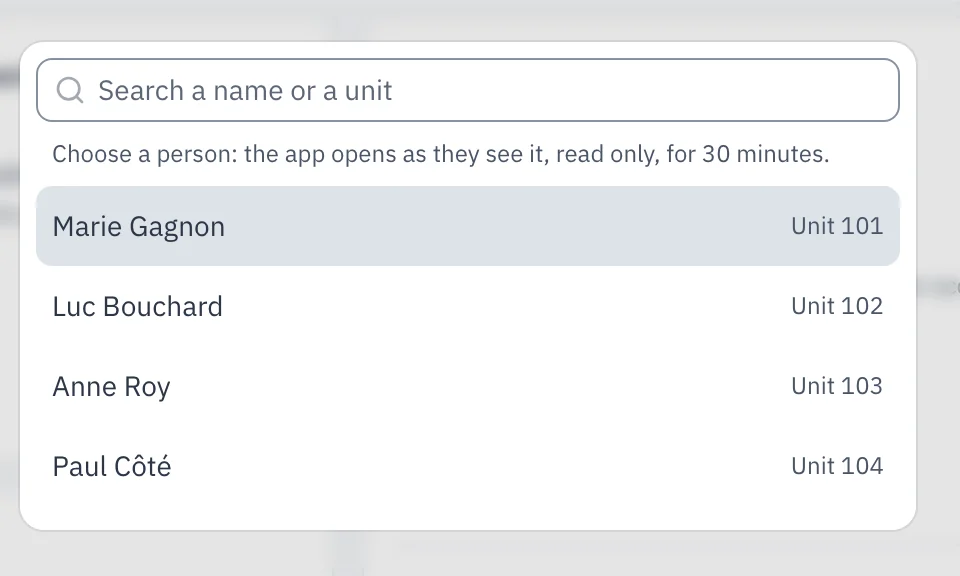
In the menu header, the eye icon "View as a co-owner" opens the list of current co-owners, with their units. Search by name or unit number, then pick the person.
The app, as they see it
CondoAide then opens as that person sees it, on their unit. A bar at the top of the page reminds you whose view this is: "Preview: what {name} sees, unit {number}". The menu, the dashboard, "My property", the budget, the register, the calendar, the maintenance log and the funds show what the person finds there.
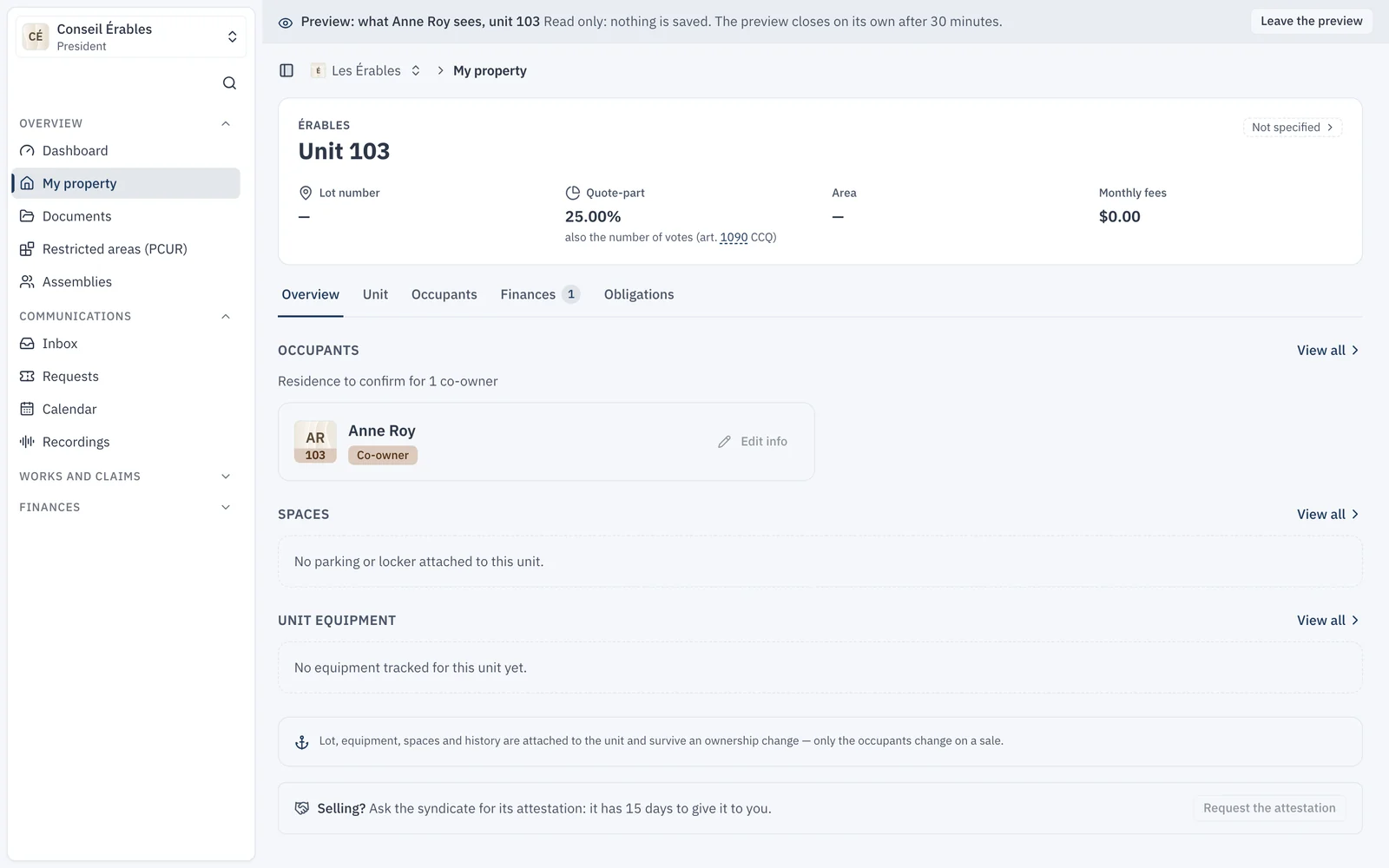
A few pages are not available in the preview yet, including the Inbox, requests and signatures. They say so plainly instead of showing the board's view.
Read only, for 30 minutes
Nothing can be saved during the preview: no vote, no message, no change. The preview closes on its own after 30 minutes, or as soon as you click "Leave the preview".
Who can use it
The preview is available to directors who manage the syndicate's members, with two-step verification. Each opening is recorded in the members log, with the date, the director and the person viewed. Co-owners never see this option.