A supplier invoice used to reach the Inbox without its logo, and a newsletter without its visuals. Images hosted by the sender were replaced by grey boxes, with the notice "external images hidden to protect your privacy". They now display, as the sender designed them.
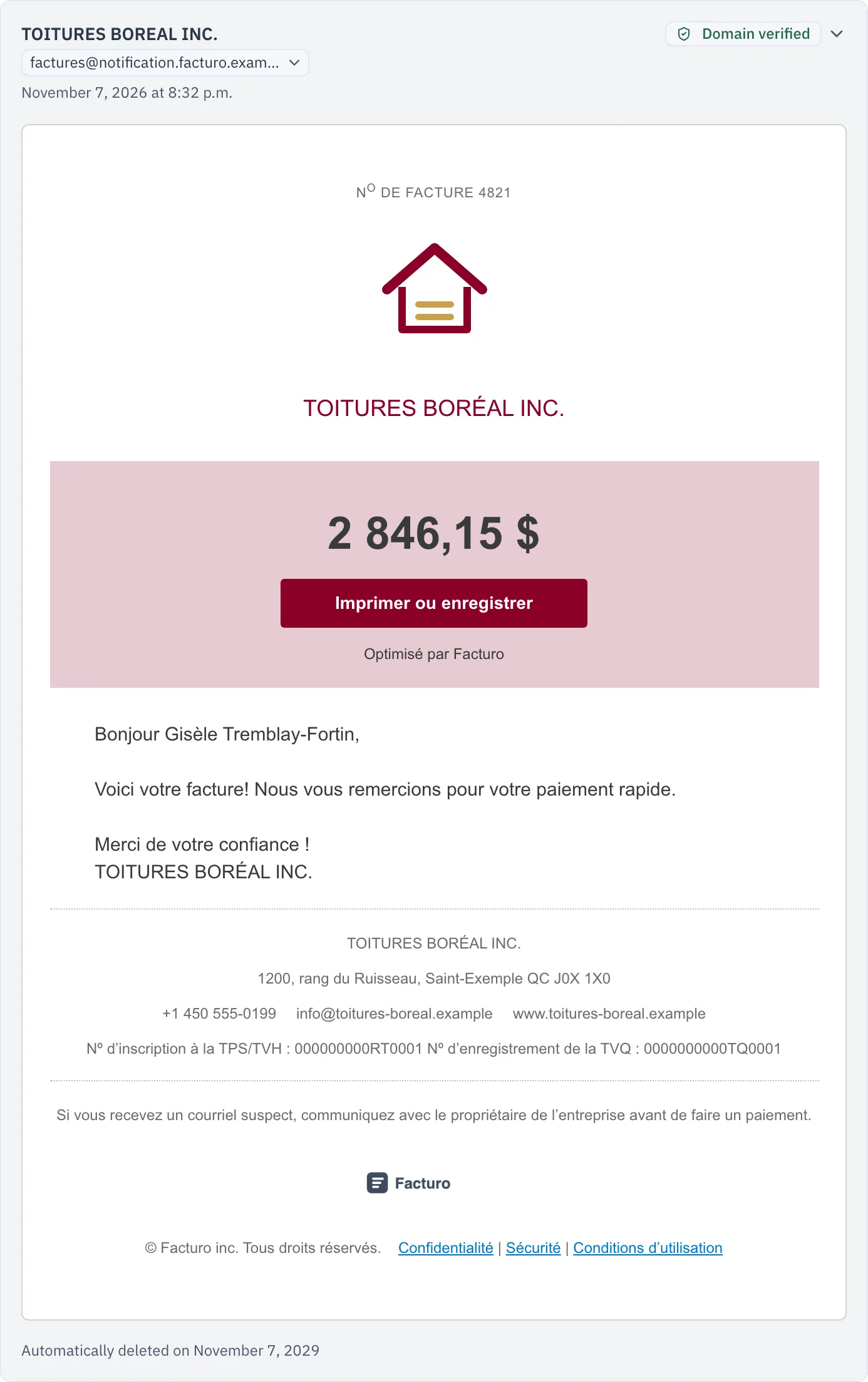
Without telling the sender
Loading an image from the sender's server when the email is read tells them it was opened, when, and often from where. That is how newsletter tracking pixels work.
So CondoAide fetches the images once, when the email arrives, and keeps them with the message, in the syndicate's private storage. When a director opens it, the images come from CondoAide: the sender knows their email was delivered, not that it was read. Tracking pixels are fetched like any other image, but never shown.
- Nothing to turn on. No "show images" button, no setting, no warning.
- Emails already received benefit too. Their images are fetched once, in the background.
- Kept with the email. An image is deleted along with the last email that uses it.
An image that cannot be retrieved, because the sender's site no longer answers or the file is not a common image format, keeps its labelled box.
To understand what a tracking pixel is and what this protection does and does not cover: Email tracking pixels: is the condo board being watched?