When a co-owner sells their unit, they must give the promising buyer an attestation from the syndicate on the state of the syndicate; the syndicate provides it within 15 days of their request (art. 1068.1 C.C.Q.). Its minimum content is set by Décret 991-2025, whose article 10 requires, among other things, the liquid assets the syndicate has to pay its current expenses, and the annual surplus or deficit shown in the last three financial statements. CondoAide's attestation now contains both.
The operating fund's liquid assets
In "Legal" › "Attestations", the "Generate a certificate" wizard has a new field, "Operating fund liquid assets ($)". It is prefilled with the operating fund's current balance in CondoAide, and stays editable.
That balance comes from CondoAide's books, not from the bank: check it before producing the attestation.
The surplus or deficit of the last three fiscal years
The "Surplus or deficit of the last three fiscal years" table has one row per fiscal year and one column per fund: "Operating", "Contingency", "Self-insurance", then the "Total". Each amount is the fund's net result, as it appears in the financial statements; a deficit is entered as a negative amount.
A fiscal year closed in CondoAide is calculated in advance and marked "Calculated by CondoAide". A fiscal year that is not closed, or was kept elsewhere, is entered from the syndicate's financial statements. Every amount stays editable, and an amount left empty appears as "Non disponible" on the attestation.
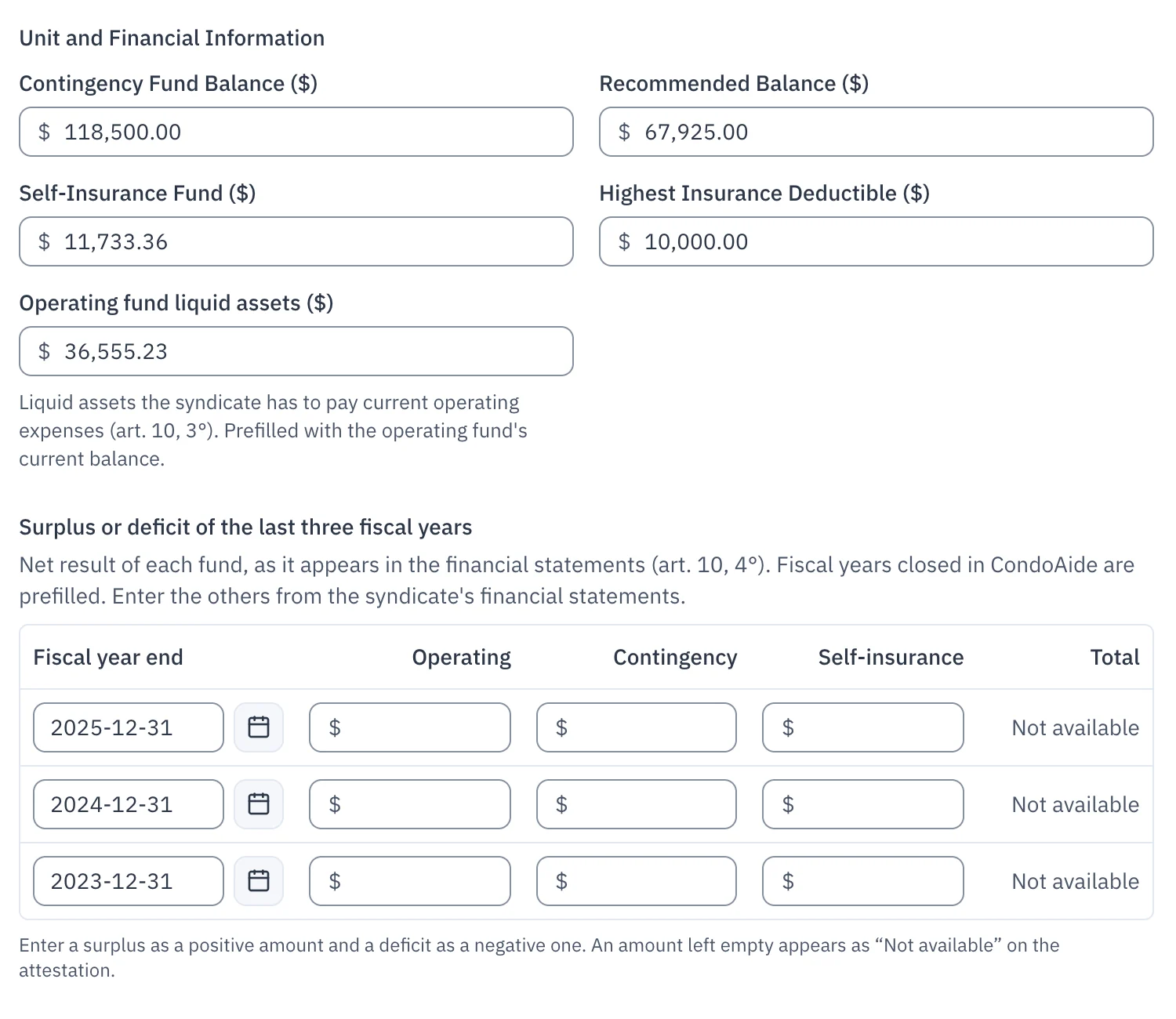
Once the attestation is completed, these amounts are frozen with it: it always downloads exactly as it was produced. The attestation document itself is issued in French.
The income statement, one column per fund
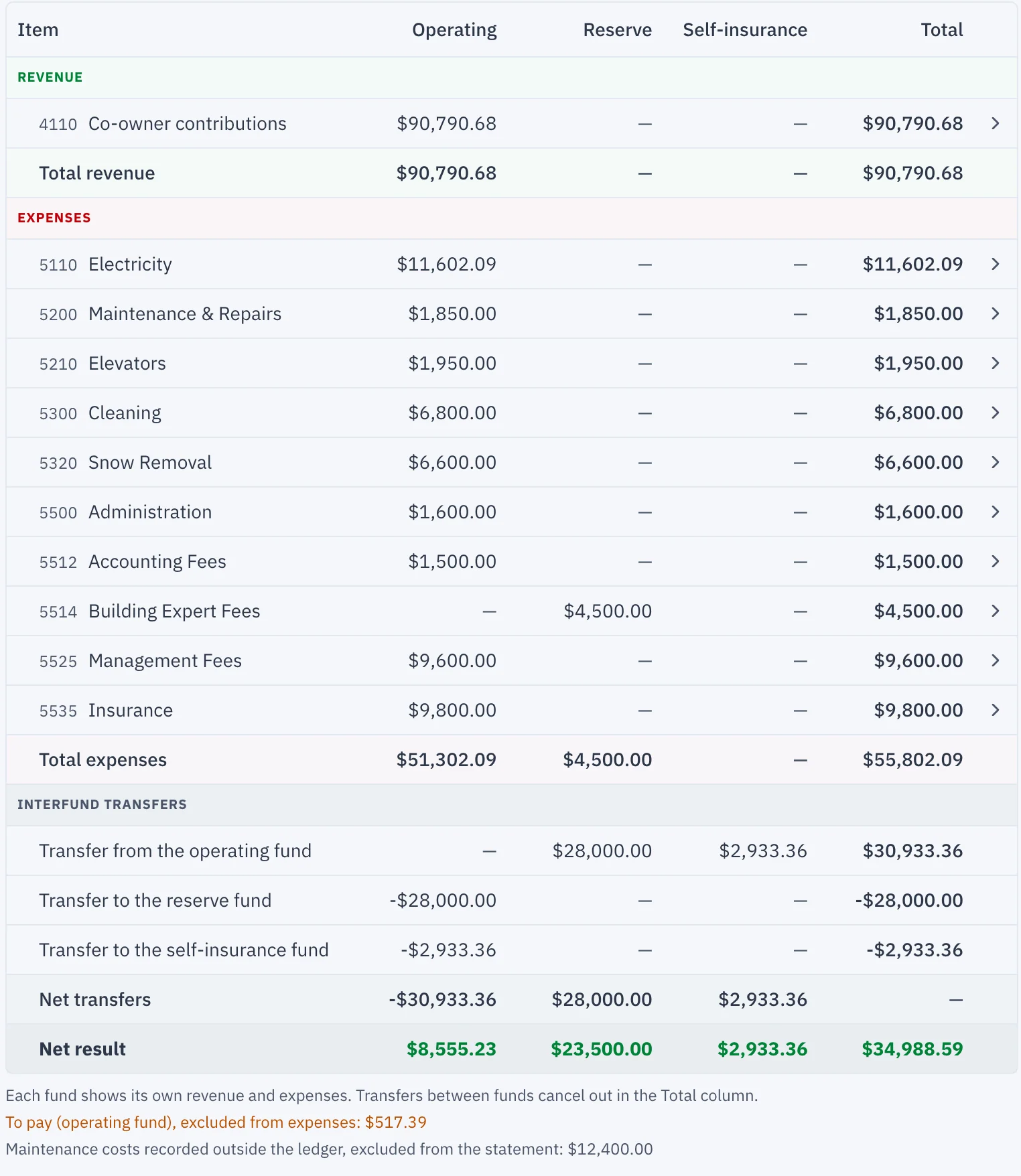
In "Finances", the "Financial Statements" tab now shows the income statement with one column per fund: "Operating", "Reserve", "Self-insurance" and "Total". Each fund shows its own revenue and expenses. Transfers between funds appear in each column and cancel out in the "Total" column. The PDF and Excel exports follow the same layout.
The dashboard follows the operating fund
The dashboard's "Fiscal Year 2026" card now says that it covers the "Operating fund". Its revenue and expenses are those of the "Operating" column of the income statement; its surplus or deficit is after transfers between funds, which it shows on a separate line. Amounts to pay also appear separately, without being counted in the expenses.