Here is the rest of what arrived between late October and early November, beyond the features announced separately.
The register, as a list, with a preview beside it
The register can now show as a list, with "View". A selected document opens in the "Document preview" panel, next to the list: you move from one document to the next without leaving the page, and "Open in a new tab" is still there.
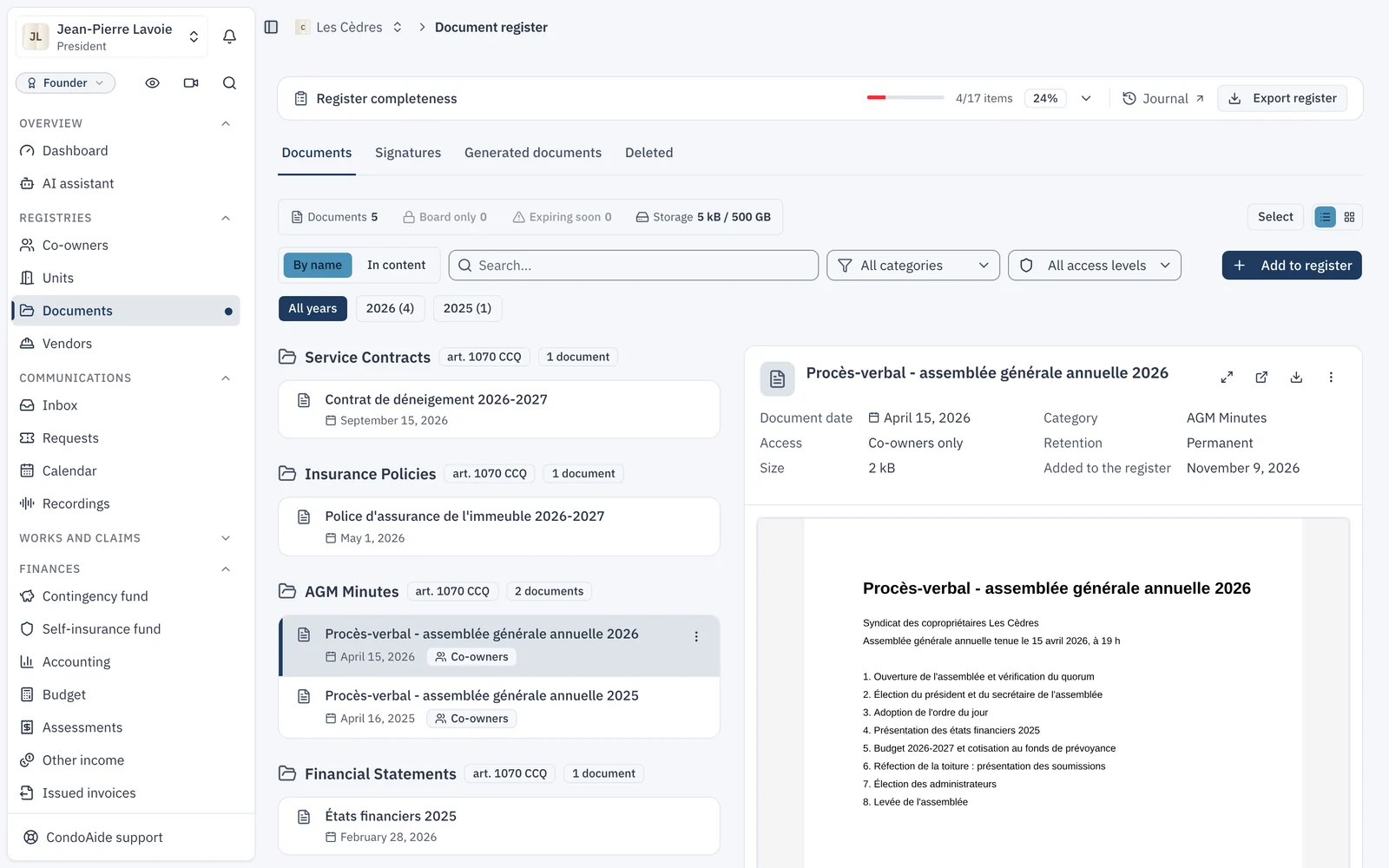
An outdated document can also be marked as replaced ("Mark as replaced"), naming the document that replaces it: its due date is no longer tracked, and "Undo replacement" restores it. The maintenance log and the contingency fund study can now be imported from a document already in the register, with "Choose", without filing a second copy.
Improvements, from common portions to private portions
"Improvement works" keeps the list of improvements decided by the meeting, each tied to its decision, and converts into a work order. A finished improvement that creates a new common part is added to the maintenance log's components in one click, with "Add to components".
The "Type of work" switch adds the "Private portions" view: the board sees every unit's improvements, and each co-owner sees those of their own units. The forms now ask only for what is needed; the rest sits under "More details".
Water heaters, from a photo of the plate
A co-owner declaring their water heater can add a photo of the rating plate: CondoAide reads it with artificial intelligence and fills in the fields for them, and they check before saving. A board that already has the plate photos imports them all at once with "Import water heater plates", one photo per unit, then checks each reading.
Obligations: follow up and sign up
- "Remind late co-owners", in "Obligation status", writes in one click to those who have not fulfilled an obligation. Each obligation also sets the first reminder before the due date and the follow-up interval.
- Optional sign-ups join obligations: a snow-removal alert, a parking waiting list. The co-owner signs up or leaves on their own, with their consent, and responses are deleted on the chosen end date, at most two years after the form was created.
- "Pause reminders" stops payment reminders for a single unit, for the length of an arrangement, and the list of paused units stays visible.
A setup done for you
When a syndicate is created, "Let us do the setup" opens "Assisted setup". The board drops everything it has, files or whole folders: exports from another software, spreadsheets, the declaration of co-ownership, budgets, co-owner lists, up to 1,000 files. It authorizes CondoAide to process them, and our team sets up the syndicate, in a support thread where the board follows the progress. The files are kept in Quebec and deleted 60 days after the setup ends; the board can delete them sooner.
The budget
- The adoption steps of the budget show on its page, with the emails each one sends to co-owners.
- A budget adopted mid-year asks how to bill the elapsed months: on each installment's usual date, or spread over the remaining installments.
- A budget kept outside CondoAide can be declared as such, for the current or the next fiscal year.
- The menu warns the board until a budget is adopted, since contributions depend on it.
- Arrears also export to PDF, month by month, with the unit number only.
Insurance, building by building
A co-ownership with several buildings records one policy per building, and an insured amount per building for a policy that covers them all. The attestation uses the highest deductible among the syndicate's policies. "Re-read the filed PDF" reads again the policy already in the register; nothing is saved until the board confirms.
Also
- Works and claims, board only: in "Syndicate settings", the board can reserve these pages to the board. The maintenance log and the improvements to their own unit stay visible to the co-owner.
- No more "unit contact": every co-owner of a unit receives the same notices, and a tenant's request notifies them all.
- A plan's price now counts only dwellings and commercial units; garages, parking spaces, storage units and lockers do not count.
- A work order created by mistake can be deleted, and the window says what prevents it, if anything. Completing a work order also warns when a similar expense is already recorded, and the cost can be split across funds.
- The maintenance log shows planned maintenance as a calendar or a list, and the component's photos in a task's panel.
- Spaces (parking, storage) have dated leases, and their tenure shows on the unit page.
- The Inbox says which recipients an email was not delivered to, and why. A shared email sent to many members offers to go out as a broadcast, where everyone gets their own copy. Unit groups become distribution lists.
- A request changes status right from its header.
- "Board" is now a tab of the syndicate settings, and "Vendors" sits under "Registries".
- A unit's page has its own "Claims" tab, and a commercial unit carries a "Commercial" badge.
- Recovery codes: someone using two-step verification without recovery codes is invited to create them.
- A thin progress bar shows at the top of the page while a page changes, including with the Back and Forward buttons.