A co-owner who gets five reminders about the same proof of insurance ends up ignoring the syndicate's emails, including the ones that matter. Everyone now chooses what they receive.
Reminders, one by one
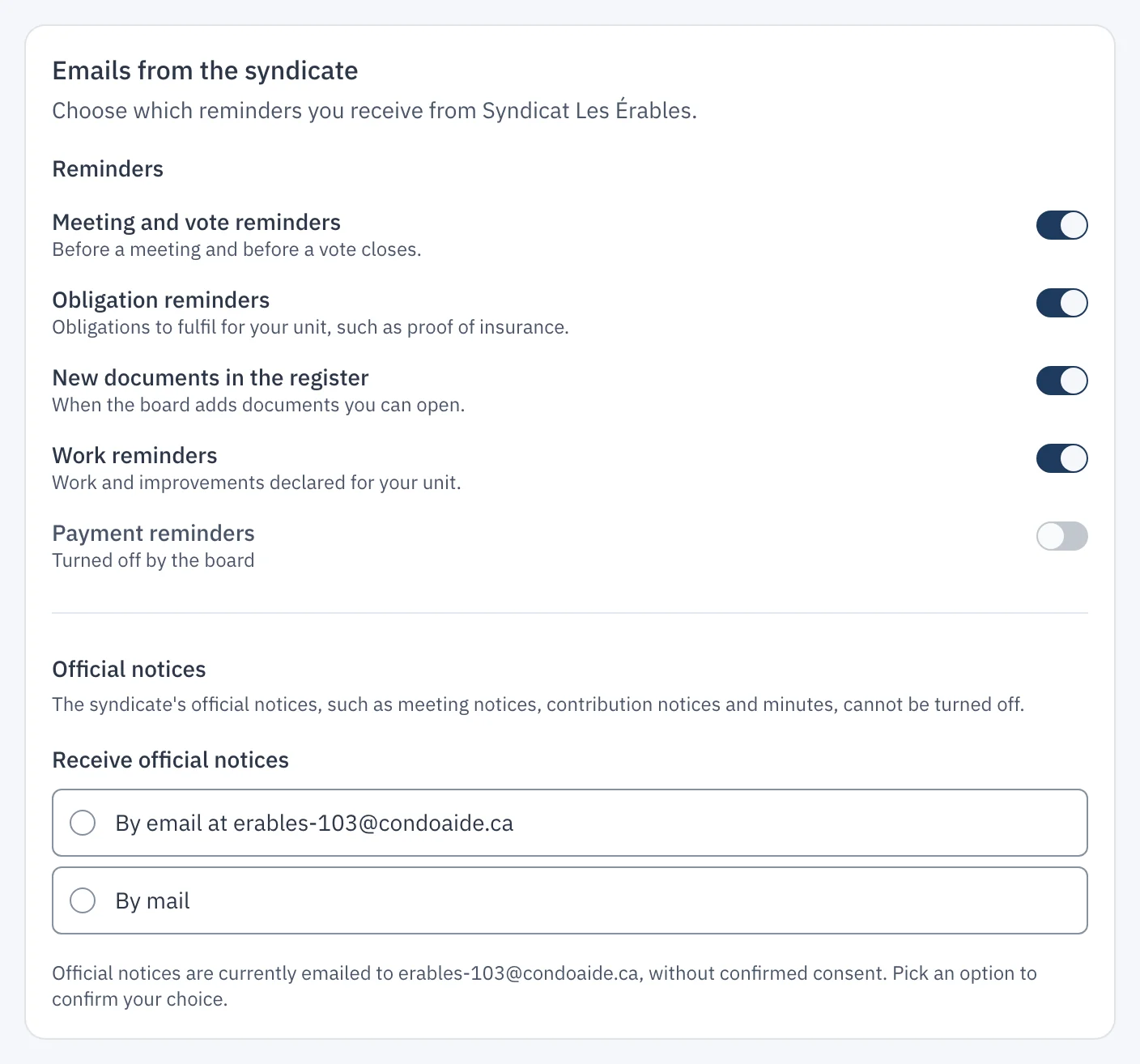
In their profile, the "Notifications" tab shows the "Emails from the syndicate" card. One switch per reminder type:
- Meeting and vote reminders: before a meeting and before a vote closes;
- Obligation reminders: obligations to fulfil for their unit, such as proof of insurance;
- New documents in the register: when the board adds documents they can open;
- Work reminders: work and improvements declared for their unit;
- Payment reminders: before and after a contribution is due.
Every reminder also carries, at the bottom of the email, a "Stop receiving this type of reminder" link. It leads to a confirmation page, with an undo button.
Official notices: by email or by mail
The syndicate's official notices, such as meeting notices, contribution notices and minutes, cannot be turned off. Instead, the co-owner chooses how they arrive: "By email" at their address, or "By mail". Their choice is dated and kept. Until they choose, notices reach them by email, and the card invites them to confirm their choice.
What the board sees
In "Syndicate settings", the "Email reminders" card turns a reminder type off for the whole syndicate: it then goes to nobody, even those who kept it on. The same card lists the people who asked for official notices by mail, so the board knows whom to post them to.