Before the syndicate's own email address, the syndicate's correspondence often lived in a Gmail or Outlook mailbox opened by a former president. When that person leaves the board, the history leaves with them: the exchanges with the insurer, the quotes, the complaints. The board can now bring it back into CondoAide's Inbox.
Import the history
In the Inbox, the "Import history" row opens the "Import your old emails" window, which first asks where they come from.
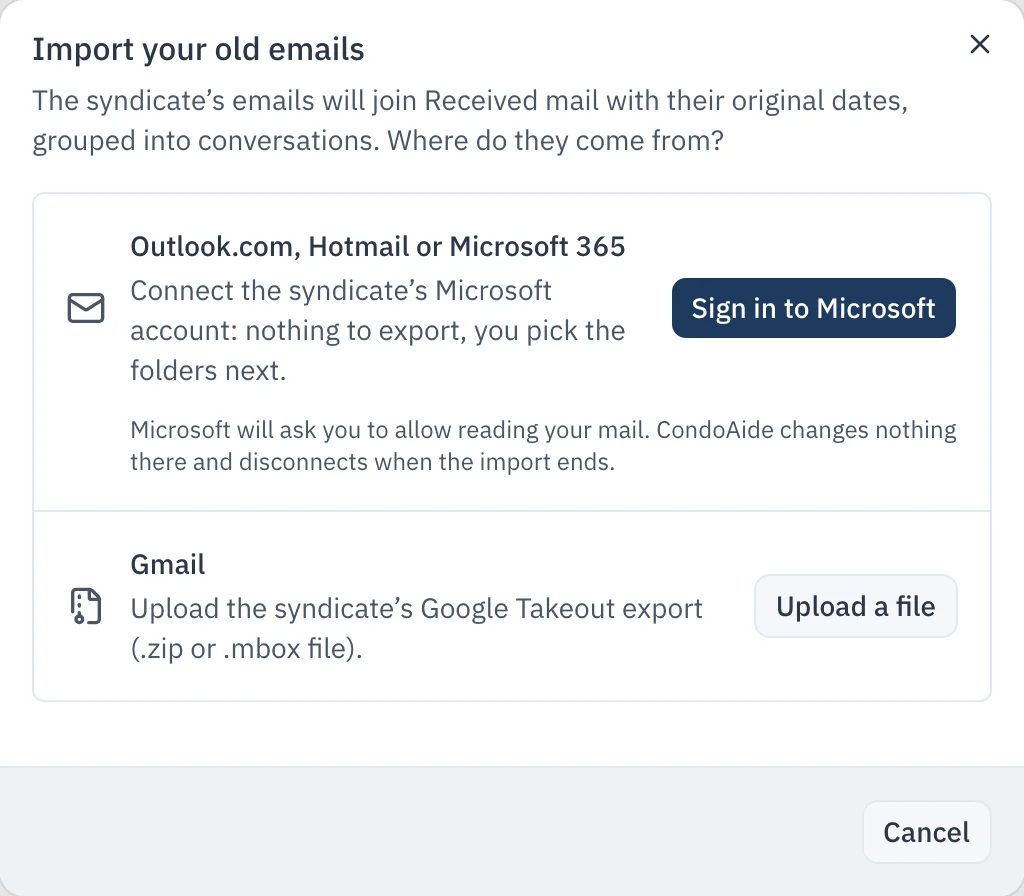
- Outlook.com, Hotmail or Microsoft 365: "Sign in to Microsoft", then tick the syndicate's folders. CondoAide reads the account without changing anything and disconnects as soon as the import ends.
- Gmail: the window explains, step by step, how to export the syndicate's label with Google Takeout. You then upload the .zip file, up to 10 GB of email.
Only emails from the last 36 months are imported. They join the Inbox with their original date, grouped into conversations, and the messages the syndicate had sent show up under "Sent". They then follow the same retention rule as other emails. The import runs in the background: you can close the window, stop it at any time, and run it again without creating duplicates.
When it ends, a summary counts the emails imported, those already in the Inbox, those older than 36 months, and the spam, drafts and deleted items left aside.
Attachments, scanned before they open
Every imported attachment goes through an antivirus that CondoAide runs on its own server, in Quebec. It opens once the scan is done; an infected attachment stays blocked, and the import summary says so.
Organize with tags
Outlook folders and Gmail labels can become tags, ticked when the import starts. Tags also work for emails received afterwards: in the "Tags" tab, the board creates them, picks a colour, and filters the Inbox on one or more of them. They are visible to everyone who reads the syndicate's mailbox.
File in the register, or delete
An attachment the syndicate must keep goes into the register in one click, with "File in the registry": the window suggests a title and a description, and the board picks the category and the access level. The same action exists in the thread of a request received by email. When the attachment is already in the register, CondoAide says so and links to the document.
The rest can be deleted. Before deleting, file in the register the invoices and contracts the syndicate must keep. "Delete" sends the conversation, its attachments and the board's replies to the "Trash", where it stays 30 days before it is destroyed. Until then, "Restore" brings it back. A conversation filed in a case or under a retention hold cannot be deleted.
Who can use it, and what is kept
The import is available to directors who read the syndicate's mailbox and manage its communications, with two-step verification. The address of the connected Microsoft account and the names of its folders are deleted 36 months after the import ends. The import assumes the syndicate has its own email address in CondoAide.