Redoing a bathroom, replacing a floor or moving a partition: many declarations of co-ownership require the co-owner to get the syndicate's authorization before starting. Until now the request came in by email, the decision got lost in the minutes, and nobody knew where the file stood. CondoAide now follows the request from start to finish, in one place.
The co-owner asks in "Requests"
In "Requests", the "New request" button offers the "Work authorization" type. The co-owner picks their unit and describes the "Planned work", the "Location in the private portion" and the "Planned start". They can add the planned end, details for the board and up to three files: plans, quotes or photos.
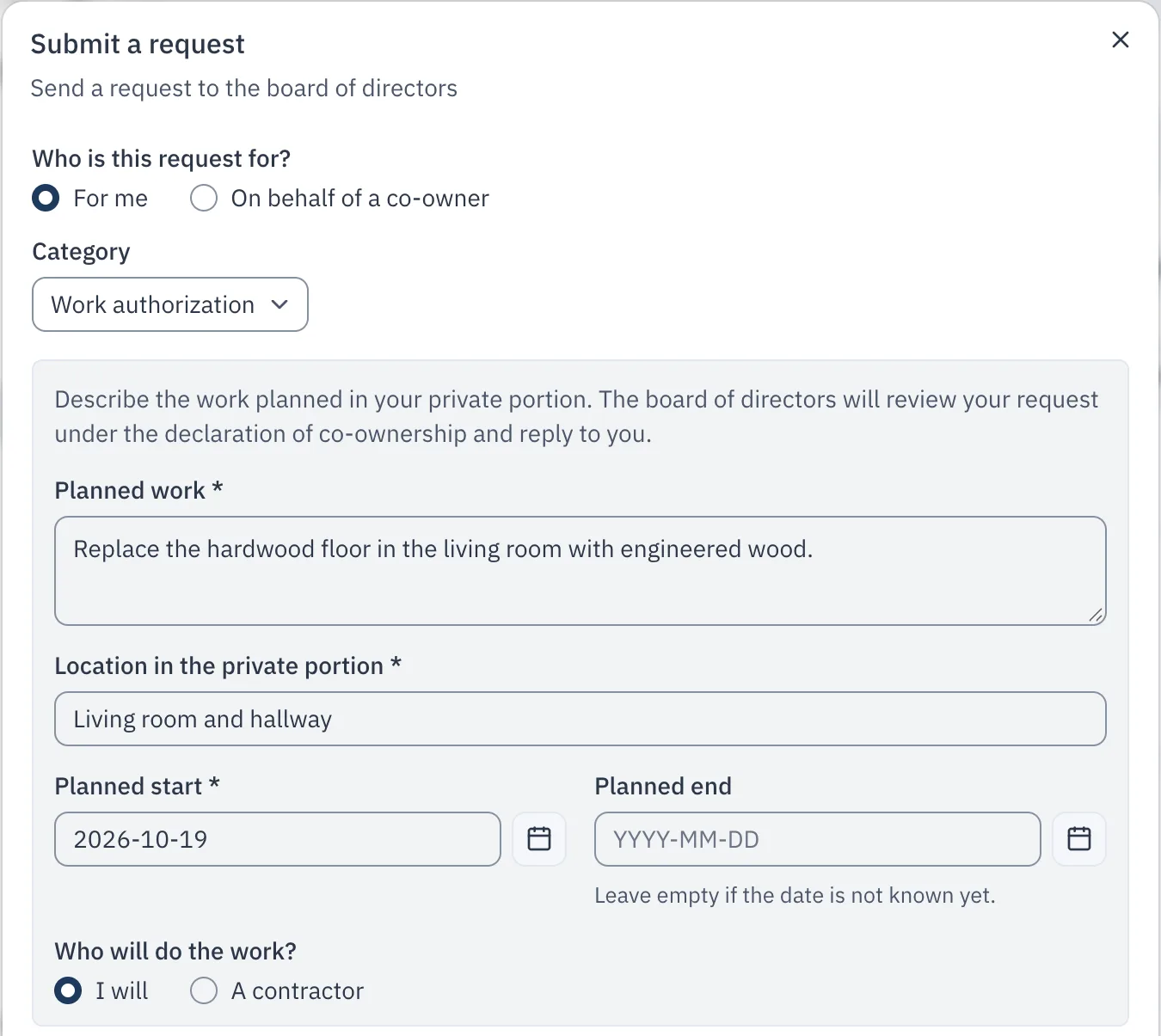
The request also says who will do the work. If it is a contractor, its licence is checked in the RBQ register: that is described in its own entry.
Only the co-owners of a unit can ask for a work authorization; a tenant cannot. The board can also open one "On behalf of a co-owner", after a phone call for instance.
The board decides at a meeting or by written resolution
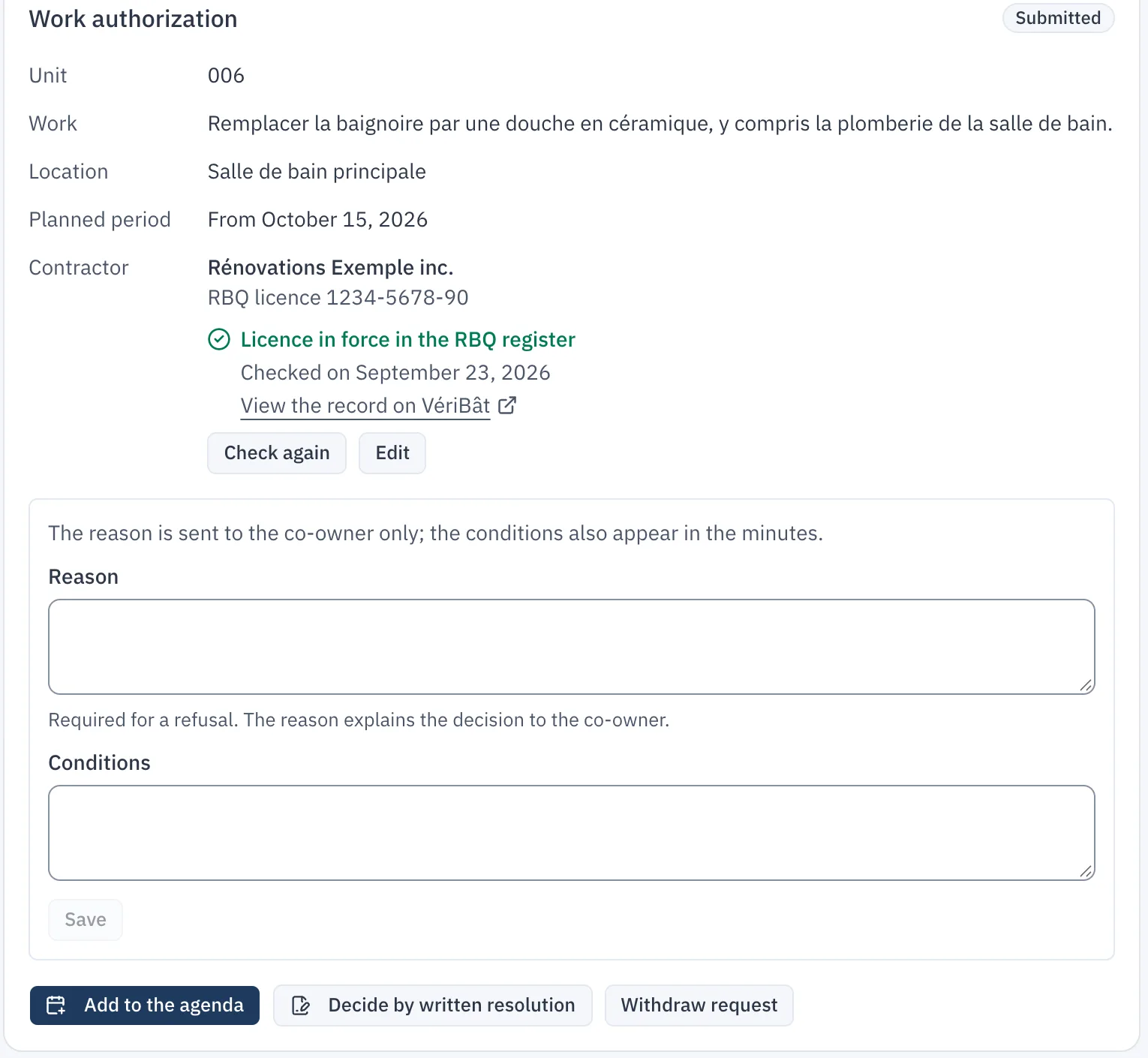
The request carries a status that both the co-owner and the board can see: "Submitted", "On the agenda" (or "Out for signature" for a written resolution), then "Authorized" or "Refused".
To decide it at a meeting, the board clicks "Add to the agenda". It first answers one question: could the work affect a common portion or the destination of the private portion? If the answer is no, the request goes on the agenda of a board meeting. If it is yes, or not known yet, it goes on the agenda of the co-owners' meeting, because that work may require its decision. The item then appears in the minutes, where the outcome of the vote is recorded.
For work that stays within the private portion, the board can also "Decide by written resolution", without waiting for the next meeting. It chooses "Authorize the work" or "Refuse the work", then clicks "Send to the directors for signature".
An authorization can come with conditions, which also appear in the minutes or the resolution. A refusal requires a reason, which is sent to the co-owner.
The decision applies on signature
The request is neither authorized nor refused until the decision is signed. When the minutes are signed, CondoAide reads the outcome recorded on the request's item, updates its status and writes to the co-owner, with the reason or the conditions. A written resolution only takes effect once every director has signed it; otherwise, the request goes back to the board. If the minutes record no decision on the item, the request also goes back to the board, and the co-owner is told.
The co-owner follows the request in "Requests" and in "My property", under the "Improvements" tab. Until the board has recorded a decision, the co-owner or a director can "Withdraw request".
After the authorization: the register of improvements
An authorization opens an entry in the unit's "Improvements" tab, with the conditions, the contractor and a link to the decision. The co-owner adds before and after photos and the invoice there, then reports the work as finished; the board then confirms completion. Those photos, the invoice and the declared value are visible only to the co-owners of the unit, the board and, where applicable, the property manager. They are kept for the syndicate's register of improvements (art. 1070 al. 3 C.C.Q.).